










Office 2024 Professional Plus Product Key – Microsoft Office 2024 Professional Plus Lifetime License: Complete Buying, Installation & Activation Guide (2026)

Buy Office 2024 Professional Plus Product Key: Microsoft Office 2024 Professional Plus Lifetime License Complete Guide (2026)
If you want to Buy Office 2024 Professional Plus Product Key, you’re probably looking for the best balance between price, reliability, and long-term value. With so many software offers available online, choosing the right Microsoft Office license can feel overwhelming. Some websites advertise extremely low prices, while others promise lifetime access, making it difficult to know which option best fits your needs.
Microsoft Office continues to be one of the world’s most trusted productivity suites. Whether you’re creating professional documents in Word, analyzing data in Excel, building presentations in PowerPoint, or managing business emails with Outlook, having the right Office edition can significantly improve your productivity.
For professionals, freelancers, students, educators, and business owners, Microsoft Office 2024 Professional Plus offers a comprehensive collection of desktop applications in one package. Instead of paying recurring subscription fees, many users prefer a one-time purchase that provides long-term access to the software version they choose.
If your goal is to Buy Office 2024 Professional Plus Product Key, it’s important to focus on more than just the lowest price. You should also understand the license type, what applications are included, installation requirements, activation methods, and the level of customer support provided by the seller.
This guide explains everything you need to know before making a purchase. You’ll learn about the key features of Microsoft Office 2024 Professional Plus, the benefits of a lifetime license, how it compares with Microsoft 365, installation and activation tips, and practical advice to help you make an informed decision.
What Is Microsoft Office 2024 Professional Plus?
Microsoft Office 2024 Professional Plus is a desktop productivity suite designed for users who need powerful applications for work, education, and everyday tasks. It combines several of Microsoft’s most widely used programs into one package, making it easier to create documents, manage spreadsheets, deliver presentations, organize emails, and handle business information efficiently.
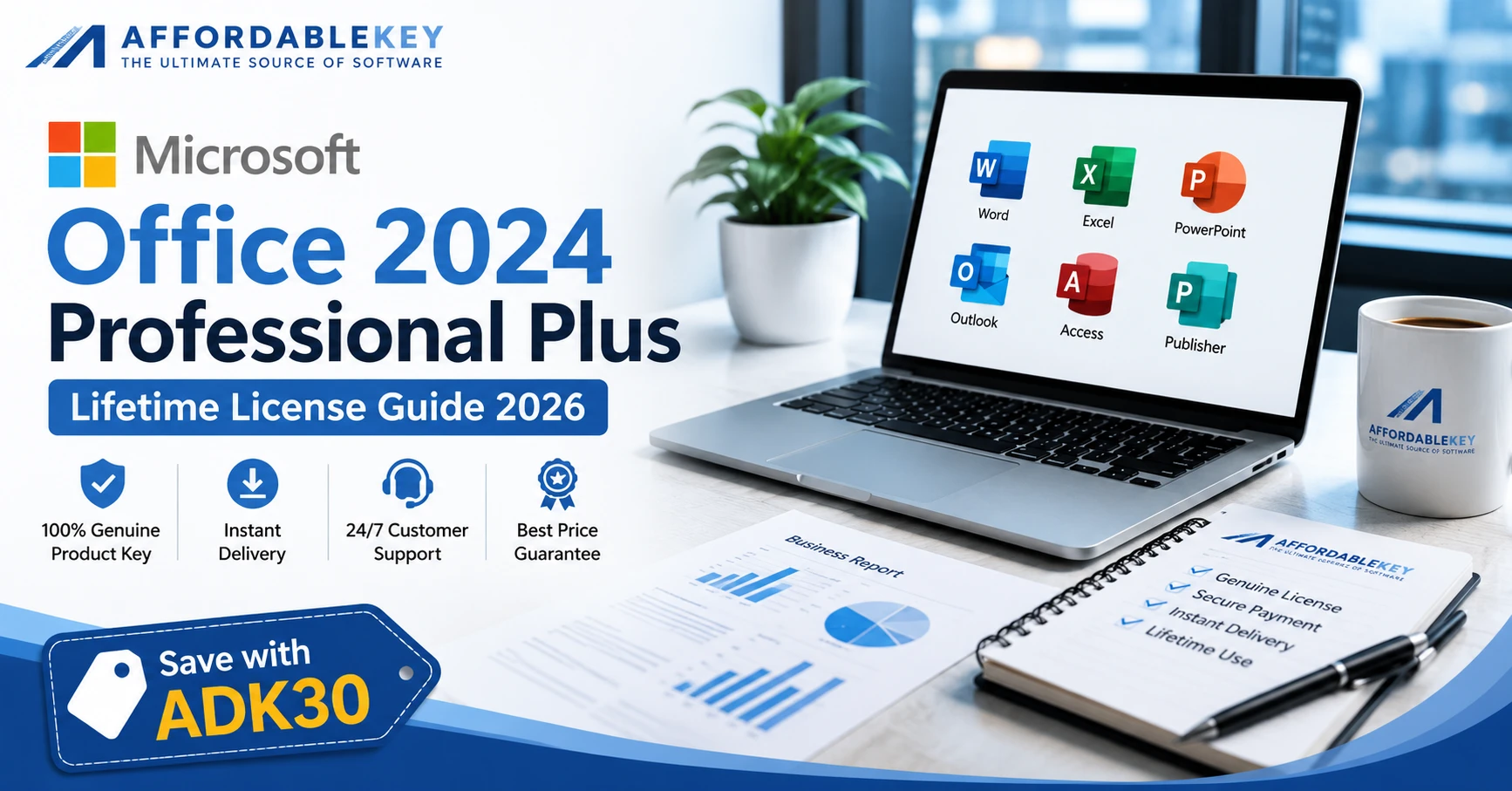
A typical Office 2024 Professional Plus package includes:
- Microsoft Word
- Microsoft Excel
- Microsoft PowerPoint
- Microsoft Outlook
- Microsoft Access
- Microsoft Publisher
These applications are trusted by millions of users worldwide because they support a wide range of personal and professional workflows. From writing reports and preparing financial data to creating marketing materials and managing client communication, Office remains an essential productivity solution.
One reason many users search for Buy Office 2024 Professional Plus Product Key is the opportunity to reduce software costs while still getting access to the desktop applications they rely on every day. Rather than choosing based only on price, it’s worth comparing the overall value offered, including delivery, activation guidance, and post-purchase support.
Why Buy Office 2024 Professional Plus Product Key?
Many people assume that choosing the lowest price is the best way to save money. However, when you plan to Buy Office 2024 Professional Plus Product Key, value is just as important as cost. A reliable purchase should include a clear license description, secure payment, digital delivery, installation guidance, and customer support if you need help.
Before making a purchase, compare these important factors:
- The type of license included
- Which Office applications are part of the package
- Installation and activation instructions
- Customer support availability
- Delivery method
- Overall value instead of price alone
Taking a few extra minutes to compare these details can help you Buy Office 2024 Professional Plus Product Key while avoiding unnecessary issues later.
Key Features of Microsoft Office 2024 Professional Plus
Microsoft Office 2024 Professional Plus continues to provide the familiar desktop experience that millions of users trust every day. Whether you work from home, manage a business, or study at school or university, these applications are designed to improve productivity.
Microsoft Word
Word remains one of the most powerful document editors available. You can create reports, proposals, letters, resumes, contracts, and professional documents with advanced formatting tools and collaboration features.
Microsoft Excel
Excel helps users organize, calculate, and analyze data efficiently. From simple budgets to complex financial reports and business dashboards, Excel continues to be an essential tool for professionals.
Microsoft PowerPoint
PowerPoint makes it easy to design presentations for meetings, classrooms, webinars, and business proposals. Modern templates and design tools help users create visually appealing slides in less time.
Microsoft Outlook
Outlook combines email, calendars, contacts, and task management into one application, making daily communication more organized and efficient.
Microsoft Access
Businesses that manage structured information can use Microsoft Access to build databases, track records, and organize important data.
Microsoft Publisher
Publisher is useful for creating brochures, newsletters, business cards, flyers, catalogs, and other printed marketing materials.
These applications work together to provide a complete productivity solution for both personal and professional use.
Who Should Buy Office 2024 Professional Plus?
If you’re planning to Buy Office 2024 Professional Plus Product Key, it’s important to understand who benefits most from this software.
Small Business Owners
Business owners often use Microsoft Office every day to prepare invoices, manage customer records, create reports, communicate with clients, and build presentations. A complete desktop productivity suite helps keep operations running smoothly.
Freelancers
Freelancers working in marketing, accounting, design, consulting, or content creation frequently rely on Word, Excel, Outlook, and PowerPoint. Having these tools in one package simplifies day-to-day work.
Students
Students use Office for assignments, presentations, research papers, and project work. Familiar Office applications are widely accepted by schools, colleges, and universities.
Remote Workers
Remote professionals need dependable desktop applications for communication, documentation, and reporting. Office 2024 Professional Plus supports these everyday tasks efficiently.
Home Users
Even home users benefit from Office applications for budgeting, personal documents, resumes, schedules, family planning, and household organization.
Benefits of Choosing a Lifetime License
One of the biggest reasons people search for Buy Office 2024 Professional Plus Product Key is the opportunity to avoid recurring subscription payments.
Depending on the license you purchase, a perpetual license can provide long-term access to the purchased version of Office without monthly billing.
Some advantages include:
- One-time purchase
- Familiar desktop applications
- Long-term value
- Reliable productivity tools
- No recurring monthly software cost
- Suitable for business, education, and personal use
For many users, these benefits make Microsoft Office 2024 Professional Plus an attractive choice compared with subscription-based alternatives.
Before You Buy
Before you Buy Office 2024 Professional Plus Product Key, take a few minutes to review the product details carefully.
Consider the following checklist:
- Verify the license type.
- Confirm the included applications.
- Review your system requirements.
- Read the installation instructions.
- Check whether activation guidance is provided.
- Buy from a seller that offers responsive customer support.
Making an informed decision helps ensure a smoother installation and activation experience while giving you greater confidence in your purchase.
Microsoft Office 2024 Professional Plus vs. Microsoft 365
One of the most common questions buyers ask before they Buy Office 2024 Professional Plus Product Key is whether they should choose Microsoft Office 2024 Professional Plus or Microsoft 365. Both options include trusted Microsoft productivity applications, but they serve different needs.
Microsoft Office 2024 Professional Plus
Office 2024 Professional Plus is a one-time purchase for users who prefer desktop applications and do not want recurring subscription payments. Once you purchase the appropriate license, you can continue using that version without paying a monthly or annual subscription fee.
This option is ideal for users who:
- Prefer a one-time software purchase.
- Mainly use desktop Office applications.
- Want predictable software costs.
- Need Microsoft Word, Excel, PowerPoint, Outlook, Access, and Publisher for everyday work.
- Don’t require every new feature released through a subscription service.
For many professionals and small businesses, choosing to Buy Office 2024 Professional Plus Product Key provides an affordable way to access familiar productivity tools.
Microsoft 365
Microsoft 365 is subscription-based and includes ongoing feature updates, cloud storage options, and additional collaboration services.
It may be a better choice if you:
- Want the latest Microsoft Office features as soon as they are released.
- Frequently work across multiple devices.
- Rely heavily on cloud collaboration.
- Prefer continuous updates through a subscription.
Ultimately, the right choice depends on how you work. If your priority is desktop productivity software with a one-time purchase, Office 2024 Professional Plus may better suit your needs.
Installing Microsoft Office 2024 Professional Plus: A Guide
After you Buy Office 2024 Professional Plus Product Key, the installation process is generally straightforward. Following the recommended steps helps reduce the risk of installation or activation problems.
Step 1: Complete Your Purchase
Purchase your Office license from a reputable seller that clearly explains the license type, delivery process, and activation instructions.
Step 2: Download the Installation Files
Follow the download instructions supplied with your purchase. Always use the recommended installation source provided with your order.
Step 3: Prepare Your Computer
Before installing Office 2024 Professional Plus:
- Make sure you have the most recent version of Windows.
- Close unnecessary applications.
- If your installation instructions suggests it, remove earlier versions of Office.
- Confirm that your computer meets the required system specifications.
Step 4: Install Office
Run the installer and follow the on-screen instructions. Depending on your computer and internet connection, installation may take several minutes.
Step 5: Verify the Installation
Once setup is complete, open Microsoft Word or another Office application to confirm that everything installed correctly.
How to Activate Microsoft Office 2024 Professional Plus
Activation verifies that your software license has been correctly applied.
Although the activation process varies depending on the license type, it usually includes the following steps:
- Launch any Office application.
- Sign in if required by the activation process.
- Enter your product key or follow the activation instructions included with your purchase.
- Complete the activation process.
- Restart the application if prompted.
If you experience any issues during activation, contact your software seller for assistance instead of using unofficial activation tools or unauthorized methods.
Common Installation Mistakes to Avoid
Many installation problems can be prevented by following a few simple best practices.
Avoid these common mistakes:
- Purchasing without checking the license details.
- Downloading installation files from unofficial websites.
- Enterting the product key incorrectly.
- Ignoring system requirements.
- Installing multiple conflicting Office versions without reviewing compatibility.
- Deleting your purchase confirmation email before saving the product information.
Taking these precautions can make it much easier to Buy Office 2024 Professional Plus Product Key, install it successfully, and begin using the software with confidence.
Save More with AffordableKey
If you’re planning to Buy Office 2024 Professional Plus Product Key, you may also want to reduce your overall purchase cost.
AffordableKey offers competitive pricing, instant digital delivery, and customer support to help customers with installation and activation questions.
🎉 Special Coupon Code
ADK30
Use the coupon code during checkout to receive the available discount on eligible purchases.
Product Page:
https://affordablekey.com/category/microsoft-office/office-2024/office-2024-professional-plus/
Frequently Asked Questions
Is Microsoft Office 2024 Professional Plus a one-time purchase?
Microsoft Office 2024 Professional Plus is generally offered as a perpetual (one-time purchase) license, depending on the license you choose. Always review the product details before you Buy Office 2024 Professional Plus Product Key to understand the license terms.
What applications are included in Office 2024 Professional Plus?
The following are often included in a Microsoft Office 2024 Professional Plus package:
- Microsoft Word
- Microsoft Excel
- Microsoft PowerPoint
- Microsoft Outlook
- Microsoft Access
- Microsoft Publisher
The included applications may vary depending on the license offered, so always verify the product description before purchasing.
Can I Buy Office 2024 Professional Plus Product Key safely online?
Yes. You can Buy Office 2024 Professional Plus Product Key online from a reputable seller that clearly explains the license type, provides installation guidance, and offers customer support. Before purchasing, review the product description, delivery method, and activation instructions.
Is Office 2024 Professional Plus suitable for business use?
Yes. Microsoft Office 2024 Professional Plus is widely used by professionals, freelancers, consultants, educators, and small businesses for creating documents, spreadsheets, presentations, email management, and database tasks.
Do I need an internet connection?
An internet connection is generally required for downloading the software, completing installation, and activating your license. After activation, many core Office applications can be used offline for everyday productivity tasks.
How can I save money when purchasing?
If you’re planning to Buy Office 2024 Professional Plus Product Key, use the ADK30 coupon code during checkout on AffordableKey to receive the available discount on eligible purchases.
Final Thoughts
Choosing the right productivity software is about more than finding the lowest price—it’s about selecting the option that best fits your workflow, budget, and long-term needs.
If you’re ready to Buy Office 2024 Professional Plus Product Key, take time to compare your options, understand the license you’re purchasing, and buy from a seller that provides clear installation guidance and responsive customer support.
Microsoft Office 2024 Professional Plus remains one of the most trusted productivity suites for professionals, students, freelancers, and business owners. With powerful desktop applications such as Word, Excel, PowerPoint, Outlook, Access, and Publisher, it provides the tools many users need every day.
To get additional savings, remember to apply the ADK30 coupon code during checkout before completing your purchase.