Microsoft 365 vs Office 2024: A Complete User Guide


Introduction to Microsoft Office Solutions
Choosing between Microsoft 365 vs Office 2024 can be confusing. Both offer powerful productivity tools. However, they work very differently. This guide will help you make the right choice. We’ll explore features, pricing, and benefits of each option.
Microsoft has dominated the productivity software market for decades. Their Office suite remains the industry standard. Recently, Microsoft introduced two distinct options. These are Microsoft 365 and Office 2024. Each serves different user needs. Understanding these differences is crucial for your decision.
The Microsoft 365 vs Office 2024 debate centers on two purchasing models. Microsoft 365 operates on a subscription basis. You pay monthly or yearly fees. In contrast, Office 2024 offers a one-time purchase option. You buy it once and own it forever. This fundamental difference affects everything else.
Many users struggle with this decision. Should you subscribe or buy outright? Both options have advantages and disadvantages. Your choice depends on several factors. These include budget, usage patterns, and feature requirements. Additionally, your need for updates matters significantly.
This comprehensive guide examines every aspect of Microsoft 365 vs Office 2024. We’ll cover pricing structures in detail. You’ll learn about feature differences. We’ll discuss cloud integration and storage options. Furthermore, we’ll explore which option suits different user types. By the end, you’ll know exactly which solution fits your needs.
Understanding Microsoft 365
Microsoft 365 represents the subscription-based approach to productivity software. Previously known as Office 365, it rebranded in 2020. This service offers more than traditional Office applications. It includes cloud services, regular updates, and additional features. The subscription model ensures you always have the latest version.
When comparing Microsoft 365 vs Office 2024, the subscription advantages become clear. Microsoft 365 subscribers get continuous feature updates. New tools and improvements arrive automatically. You don’t wait for the next major release. This keeps your software current and secure. Updates include security patches and new functionality.
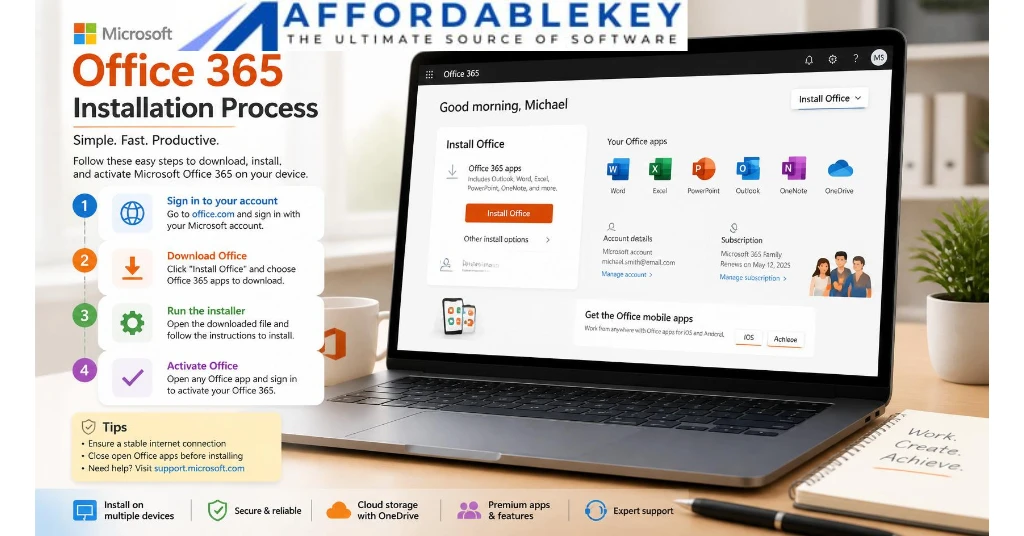
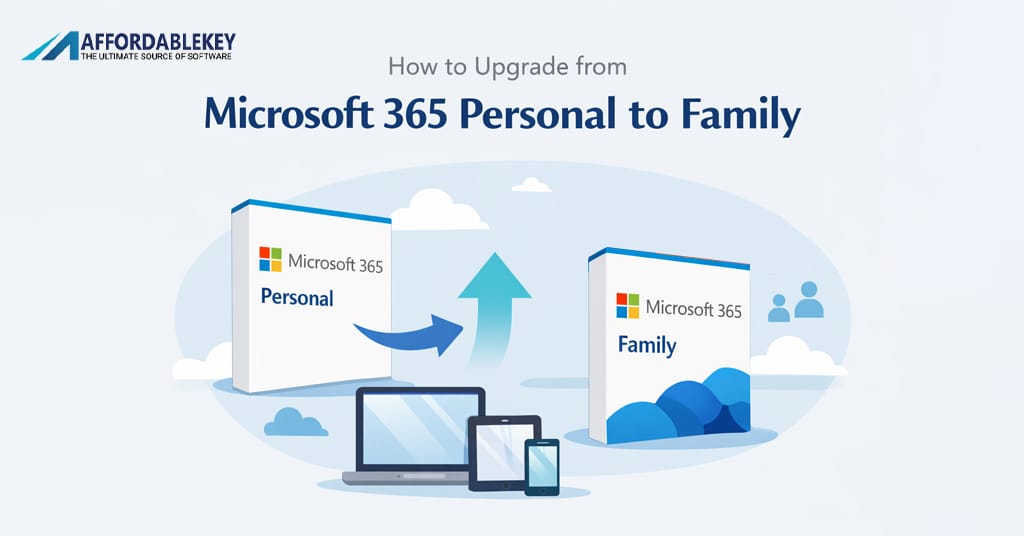
Microsoft 365 comes in various plans for different users. Personal plans suit individual users perfectly. Family plans accommodate up to six people. Business plans offer enterprise-level features. Each plan includes the core Office applications. These are Word, Excel, PowerPoint, and Outlook. Additionally, you get OneDrive cloud storage.
The cloud integration distinguishes Microsoft 365 from traditional Office. Your files sync across all devices automatically. Work starts on your desktop continues on your tablet. This seamless experience enhances productivity significantly. Moreover, real-time collaboration becomes effortless. Multiple users can edit documents simultaneously.
Another significant advantage is the generous cloud storage. Microsoft 365 Personal includes 1TB of OneDrive storage. Family plans provide 1TB per person. This eliminates local storage concerns. Your files stay safe in the cloud. Furthermore, you can access them from anywhere. The Microsoft 365 vs Office 2024 comparison shows this as a major differentiator.
Exploring Office 2024 Features
Office 2024 represents the traditional one-time purchase model. Microsoft released it in late 2024. This version offers a perpetual license. You pay once and use it indefinitely. No monthly fees or subscription costs exist. For many users, this feels more comfortable and familiar.
In the Microsoft 365 vs Office 2024 discussion, Office 2024 appeals to specific users. Those who prefer ownership over subscription find it attractive. The initial cost might seem higher. However, long-term expenses can be lower. You don’t pay monthly or yearly fees. This makes budgeting simpler for some people.
Office 2024 includes all essential applications. You get Word, Excel, PowerPoint, and Outlook. These programs offer robust functionality. Most users find everything they need here. The applications work perfectly for standard productivity tasks. Document creation, spreadsheet management, and presentations all function excellently.
However, Office 2024 has important limitations. Updates are minimal compared to Microsoft 365. You receive security updates and bug fixes. But new features don’t arrive regularly. When you buy Office 2024, that version stays the same. Major new features require purchasing the next version.
Another consideration in Microsoft 365 vs Office 2024 is device installation. Office 2024 allows installation on one computer only. This differs from Microsoft 365’s multi-device support. If you work across multiple devices, this limitation matters. Additionally, Office 2024 lacks substantial cloud storage. You get basic features but not the full cloud experience.
Pricing Comparison
Understanding the cost difference is crucial in Microsoft 365 vs Office 2024. Microsoft 365 Personal costs $69.99 annually or $6.99 monthly. The Family plan runs $99.99 yearly or $9.99 monthly. These prices include all updates and cloud storage. The ongoing cost adds up over several years.
Office 2024 pricing follows a different structure entirely. Office Home 2024 costs approximately $149.99 as a one-time purchase. Office Home & Business 2024 runs around $249.99. These are single payments with no recurring charges. You own the software permanently after purchase.
Let’s calculate the long-term costs for Microsoft 365 vs Office 2024. Microsoft 365 Personal costs about $70 annually. Over five years, that’s $350. Office 2024 Home costs $150 once. The difference becomes significant over time. However, this calculation misses important factors.
Microsoft 365 includes 1TB cloud storage worth considering. Purchasing equivalent cloud storage separately costs money. OneDrive storage alone costs $1.99 monthly for 100GB. The 1TB included with Microsoft 365 represents substantial value. This changes the Microsoft 365 vs Office 2024 cost equation significantly.
Business users face different pricing considerations. Microsoft 365 Business Basic starts at $6 per user monthly. Business Standard costs $12.50 per user monthly. Office 2024 for business costs more upfront. However, calculating total cost of ownership requires examining all factors. Consider updates, support, and cloud services together. The true value emerges from comprehensive analysis.
Feature Differences
The Microsoft 365 vs Office 2024 feature comparison reveals significant differences. Microsoft 365 offers AI-powered tools through Microsoft Copilot. This intelligent assistant helps with writing, data analysis, and presentations. Office 2024 includes some AI features but not the full Copilot experience. The gap widens as Microsoft develops more AI capabilities.
Collaboration features heavily favor Microsoft 365. Real-time co-authoring works seamlessly across all applications. Multiple users edit documents simultaneously. Comments and suggestions appear instantly. Version history tracks all changes automatically. Office 2024 offers basic collaboration but lacks advanced features.
Microsoft Teams integration represents another Microsoft 365 advantage. Subscribers get full Teams access for communication and meetings. Video calls, chat, and file sharing work together perfectly. Office 2024 doesn’t include Teams. This matters significantly for remote work and team collaboration.
Advanced Excel features differ between the two options. Microsoft 365 Excel receives new functions regularly. Dynamic arrays, XLOOKUP, and other powerful tools arrive continuously. Office 2024 includes features available at its release date. No new functions arrive after purchase. For power users, this Microsoft 365 vs Office 2024 difference matters greatly.
Mobile app functionality also varies significantly. Microsoft 365 subscribers get full-featured mobile apps. These work on phones and tablets without limitations. Office 2024 purchasers get basic mobile viewing capabilities. Full editing requires a Microsoft 365 subscription. For users who work on mobile devices frequently, this becomes crucial.
Cloud Storage and Integration
Cloud storage represents a major factor in Microsoft 365 vs Office 2024. Microsoft 365 includes 1TB of OneDrive storage per user. This generous allocation suits most users perfectly. Photos, documents, and files sync automatically. Access your work from any device anywhere. The cloud backup protects against hardware failures.
Office 2024 includes only 5GB of free OneDrive storage. This basic allocation fills up quickly with documents. Users need additional storage purchased separately. The limited cloud integration affects workflow significantly. Syncing across devices becomes more complicated. This represents a substantial difference in daily use.
OneDrive integration extends beyond simple storage. Microsoft 365 users enjoy advanced sharing features. Create shareable links with permission controls. Set expiration dates on shared documents. Monitor who accessed your files. These professional-grade features enhance security and collaboration. Office 2024 users miss these advanced capabilities.
File versioning works automatically with Microsoft 365. OneDrive saves previous versions of your documents. Accidentally deleted something? Restore it easily. Made unwanted changes? Revert to earlier versions. This safety net proves invaluable for important work. The Microsoft 365 vs Office 2024 comparison clearly favors the subscription here.
SharePoint integration benefits business users significantly. Microsoft 365 Business plans include SharePoint Online. This enterprise content management system organizes team documents. Workflow automation streamlines business processes. Office 2024 lacks this integration entirely. For businesses, this Microsoft 365 vs Office 2024 difference can be decisive.
Update and Support Policies
Software updates distinguish Microsoft 365 vs Office 2024 fundamentally. Microsoft 365 subscribers receive continuous updates. New features roll out monthly. Major improvements arrive regularly. Your applications stay cutting-edge automatically. This ensures you always have the latest capabilities.
Office 2024 follows the traditional update model. You receive security patches and critical bug fixes. These maintain stability and security. However, feature updates don’t arrive. The version you purchase stays essentially the same. New capabilities require buying the next Office release.
Security updates matter tremendously for both options. Microsoft 365 receives security patches immediately. Threats are addressed as they emerge. Office 2024 gets security updates for approximately five years. After that, support ends completely. Using unsupported software creates security risks.
Technical support differs between these options too. Microsoft 365 subscribers access extensive support resources. Phone, chat, and email support help resolve issues. Community forums provide additional assistance. Office 2024 purchasers get limited support. Basic help is available, but comprehensive support costs extra.
The Microsoft 365 vs Office 2024 update philosophy reflects different approaches. Subscriptions provide ongoing value through continuous improvement. Perpetual licenses offer stability and predictability. Neither approach is inherently wrong. Your preference depends on personal priorities. Consider whether cutting-edge features or stable environments matter more.
Installation and Device Flexibility
Device flexibility significantly impacts the Microsoft 365 vs Office 2024 choice. Microsoft 365 allows installation on multiple devices simultaneously. Personal plans support five devices at once. Family plans extend this to six users with their devices. This flexibility suits modern multi-device workflows perfectly.
Office 2024 restricts installation to one computer only. This limitation feels restrictive in today’s connected world. Many people work across desktop, laptop, and tablet. Office 2024 forces choosing one device. Alternatively, you must purchase multiple licenses. This adds significant cost.
Mobile device support varies greatly between options. Microsoft 365 subscribers get full mobile app functionality. Create and edit documents on phones and tablets. All features work without restrictions. Office 2024 users get only viewing capabilities. Editing requires a Microsoft 365 subscription regardless.
Web-based Office applications work differently too. Microsoft 365 includes full-featured web apps. Access Word, Excel, and PowerPoint through any browser. Work without installing software locally. Office 2024 purchasers get basic web app access. Advanced features require the desktop applications.
Device switching happens seamlessly with Microsoft 365. Start work on your desktop computer. Continue on your tablet during your commute. Finish on your laptop at a coffee shop. Everything syncs automatically through OneDrive. The Microsoft 365 vs Office 2024 comparison shows this flexibility as a major advantage. Office 2024 can’t match this convenience.
Business vs Personal Use Cases
The Microsoft 365 vs Office 2024 decision varies for business and personal users. Businesses often benefit more from Microsoft 365. The collaboration features enhance team productivity. Real-time document editing reduces version confusion. Cloud storage facilitates remote work effectively. These benefits often justify subscription costs.
Small businesses face unique considerations. Startup costs matter significantly. Office 2024’s one-time purchase seems attractive initially. However, growing teams need collaboration tools. Adding users becomes expensive with perpetual licenses. Microsoft 365 scales more economically. Pay per user monthly as your team grows.
Personal users have different priorities entirely. Casual users might prefer Office 2024. Basic document creation needs don’t require constant updates. The one-time cost feels manageable. No ongoing subscription provides peace of mind. For straightforward productivity tasks, Office 2024 suffices perfectly.
Families present another interesting use case. Microsoft 365 Family supports six people for $99.99 yearly. Each person gets full applications and 1TB storage. Sharing one Office 2024 license among family members violates terms. Multiple purchases become expensive quickly. The Microsoft 365 vs Office 2024 calculation favors subscription for families.
Power users and professionals need careful consideration. Those requiring advanced Excel functions benefit from Microsoft 365. Regular feature updates provide new capabilities. Creative professionals use advanced PowerPoint features. Students get special Microsoft 365 Education pricing. Each group’s specific needs influence the best choice.
Security and Compliance Features
Security considerations affect the Microsoft 365 vs Office 2024 decision significantly. Microsoft 365 includes advanced security features. Advanced Threat Protection guards against malware. Anti-phishing measures protect your accounts. These features update continuously as threats evolve. Your protection stays current automatically.
Office 2024 offers basic security features. You receive security updates during the support period. However, advanced threat protection isn’t included. Third-party security software becomes necessary. This adds cost and complexity. For security-conscious users, Microsoft 365 provides better protection.
Business compliance requirements often mandate specific features. Microsoft 365 offers data loss prevention tools. Information governance policies protect sensitive data. eDiscovery capabilities support legal requirements. These enterprise-grade features come with business plans. Office 2024 lacks these compliance tools entirely.
Email security differs substantially between options. Microsoft 365 includes Exchange Online Protection. This enterprise email security stops spam and malware. Advanced phishing protection uses machine learning. Office 2024 users rely on their email provider’s security. The Microsoft 365 vs Office 2024 comparison shows clear advantages here.
Data encryption works differently in each option. Microsoft 365 encrypts data in transit and at rest. OneDrive files receive automatic encryption. BitLocker integration provides device encryption. Office 2024 relies on Windows built-in encryption. While functional, it lacks integrated management. Businesses prioritizing security favor Microsoft 365 overwhelmingly.
Performance and System Requirements
System requirements matter when choosing between Microsoft 365 vs Office 2024. Office 2024 requires Windows 10 or later. Mac users need macOS Monterey or newer. These requirements ensure modern performance. Older computers might need upgrades. Consider hardware costs in your decision.
Microsoft 365 runs on the same systems. However, web apps provide additional flexibility. Use any device with a modern browser. Chromebooks work perfectly with Office web apps. This flexibility extends usability significantly. Office 2024 lacks this web-based option.
Performance characteristics differ between these options. Office 2024 runs entirely from your local computer. No internet connection is required for basic work. Applications launch quickly and respond immediately. Some users prefer this traditional approach. It feels familiar and reliable.
Microsoft 365 blends local and cloud capabilities. Applications install locally but sync constantly. This requires internet connectivity for full functionality. Offline mode exists but with limitations. Documents sync when connection restores. The Microsoft 365 vs Office 2024 performance debate depends on connectivity.
Storage requirements vary between options too. Office 2024 needs approximately 4GB of disk space. Your documents store locally requiring additional space. Microsoft 365 needs similar installation space. However, OneDrive integration moves documents to cloud. This reduces local storage requirements significantly. Users with limited disk space appreciate this difference.
Affordable Solutions at AffordableKey
Finding cost-effective software matters in the Microsoft 365 vs Office 2024 decision. <a href=”https://affordablekey.com/”>AffordableKey</a> offers competitive pricing on both options. This trusted retailer provides genuine Microsoft licenses. Save money without compromising on quality or legitimacy.
AffordableKey specializes in affordable software solutions. They understand budget constraints facing individuals and businesses. Their competitive prices make premium software accessible. Genuine product keys ensure full functionality. Customer support helps with installation and activation. Shopping at AffordableKey makes sense financially.
The Microsoft 365 subscriptions at AffordableKey come at discounted rates. Personal and Family plans cost less than Microsoft’s direct pricing. Business subscriptions also see significant savings. These reduced costs make the Microsoft 365 vs Office 2024 calculation more favorable. Subscription affordability increases when purchased through AffordableKey.
Office 2024 perpetual licenses available through AffordableKey offer great value. Home and Business versions cost less than retail prices. Genuine licenses activate without problems. Customer reviews confirm reliability and authenticity. For those choosing Office 2024, AffordableKey provides budget-friendly options.
Beyond Microsoft products, AffordableKey carries other essential software. Windows operating systems, antivirus programs, and productivity tools fill their catalog. One-stop shopping for all software needs proves convenient. Bundle purchases often qualify for additional discounts. Consider AffordableKey for all your software requirements. Their competitive pricing and reliable service build customer loyalty.
Making Your Decision
Deciding between Microsoft 365 vs Office 2024 requires evaluating personal needs. Start by assessing your budget honestly. Can you afford ongoing subscription fees? Or does one-time purchase suit better? Both options deliver excellent productivity tools. The right choice depends on individual circumstances.
Consider how you work daily. Do you use multiple devices regularly? Mobile editing capabilities matter significantly then. Microsoft 365 excels at multi-device workflows. Office 2024 restricts you to one computer. Your work style should guide this decision.
Collaboration needs influence the Microsoft 365 vs Office 2024 choice greatly. Teams working together benefit from Microsoft 365. Real-time co-authoring enhances productivity. Cloud storage facilitates file sharing. Solo workers might not need these features. Office 2024 serves individual users perfectly well.
Future-proofing considerations matter too. Technology evolves rapidly nowadays. Microsoft 365 ensures you stay current automatically. New features arrive regularly without additional cost. Office 2024 eventually becomes outdated. Upgrading requires purchasing the next version. Long-term costs deserve careful calculation.
Think about your feature requirements specifically. Do you need advanced AI tools? Microsoft Copilot requires Microsoft 365. Basic productivity tasks work fine with Office 2024. Advanced Excel users want the latest functions. PowerPoint designers appreciate new templates and features. Match your specific needs against each option’s capabilities. The Microsoft 365 vs Office 2024 winner depends on your unique situation.
External Resources and Further Reading
Researching the Microsoft 365 vs Office 2024 decision benefits from multiple sources. Microsoft’s official website provides detailed specifications. Feature comparisons help understand exact differences. Pricing pages show current subscription rates. Support documentation answers technical questions thoroughly.
Independent technology review sites offer unbiased perspectives. <a href=”https://www.pcmag.com/” target=”_blank”>PCMag</a> publishes comprehensive software reviews regularly. Their expert analysis covers performance, features, and value. Reading professional reviews supplements your research effectively. Multiple viewpoints provide balanced understanding.
User forums and communities share real-world experiences. Reddit communities discuss Microsoft 365 vs Office 2024 extensively. Actual users describe daily usage and problems. These authentic perspectives reveal practical considerations. Learn from others’ experiences before committing.
YouTube tutorials demonstrate features visually. Video reviews show applications in action. Seeing features work helps understand capabilities. Many creators compare Microsoft 365 vs Office 2024 directly. Visual learners particularly benefit from video content.
Industry blogs provide ongoing updates and tips. Technology news sites cover Microsoft announcements. Feature rollouts and pricing changes get reported quickly. Following these sources keeps you informed. The software landscape changes regularly. Staying current helps make informed decisions. Combine information from multiple sources for comprehensive understanding.
FAQ’s
Q1: Can I switch from Office 2024 to Microsoft 365 later?
Yes, you can switch from Office 2024 to Microsoft 365 anytime. Your Office 2024 license remains valid. However, you’ll pay for both separately. Microsoft 365 subscription doesn’t credit your Office 2024 purchase. Consider starting with Microsoft 365 if uncertain. The monthly payment option provides flexibility. You can cancel subscriptions more easily than returning purchased software.
Q2: Does Microsoft 365 work without internet connection?
Microsoft 365 applications work offline with limitations. You must connect online periodically for license verification. Install applications on your computer for offline use. Create and edit documents without internet. However, cloud features require connectivity. Syncing, collaboration, and OneDrive access need internet. The Microsoft 365 vs Office 2024 offline capabilities are similar for basic tasks.
Q3: How long does Microsoft support Office 2024?
Microsoft typically supports Office perpetual licenses for five years. Office 2024 receives security updates until approximately 2029. After support ends, using the software becomes risky. Security vulnerabilities won’t receive patches. Microsoft 365 subscribers avoid this problem entirely. Continuous updates maintain security indefinitely. This represents a significant Microsoft 365 vs Office 2024 consideration.
Q4: Can students get discounts on these products?
Yes, students qualify for significant discounts. Microsoft 365 Education is free for eligible students. Educational institutions provide licenses through their programs. Check with your school’s IT department. Office 2024 also offers education pricing. Students save substantially compared to retail prices. The Microsoft 365 vs Office 2024 decision for students often favors the free subscription option.
Q5: Which option is better for small businesses?
Small businesses generally benefit more from Microsoft 365. The collaboration features enhance team productivity significantly. Scalability allows growing with your business. Add users easily without major purchases. Email hosting through Exchange Online adds value. However, very small businesses with tight budgets might prefer Office 2024 initially. Evaluate your specific collaboration and growth needs carefully. The Microsoft 365 vs Office 2024 choice depends on individual business circumstances.
Conclusion
The Microsoft 365 vs Office 2024 comparison reveals two excellent but different solutions. Microsoft 365 offers continuous updates, cloud storage, and collaboration features. The subscription model ensures you always have current software. Multi-device support and mobile capabilities enhance flexibility. Cloud integration makes remote work seamless. However, ongoing costs accumulate over time.
Office 2024 provides traditional software ownership. The one-time purchase appeals to budget-conscious users. No recurring fees create predictable expenses. Basic productivity features work excellently. However, limited updates eventually make software outdated. Single-device installation restricts flexibility. Minimal cloud integration affects modern workflows.
Your decision depends on specific needs and preferences. Consider budget, work style, and collaboration requirements. Evaluate device usage patterns and feature needs. Calculate long-term costs comprehensively. Both options deliver professional productivity tools. Neither choice is universally correct. The Microsoft 365 vs Office 2024 winner varies by user.
For most users seeking modern capabilities, Microsoft 365 provides better value. The continuous updates, cloud storage, and collaboration justify subscription costs. Families benefit tremendously from shared plans. Businesses gain productivity through advanced features. However, casual users with simple needs might prefer Office 2024. The one-time cost and straightforward functionality suit basic requirements.
Ultimately, your unique circumstances determine the best choice. Research thoroughly before deciding. Consider starting with Microsoft 365’s monthly subscription. Test features and workflow integration. You can always switch to Office 2024 later if preferred. Make an informed decision based on your specific situation. Both products deliver Microsoft’s renowned quality and reliability. Choose the option that best fits your needs and budget.