Is Windows 10 Enterprise Safer Than Pro?

Introduction – Two Heavyweights of Windows
You need a secure operating system. Your choice matters a lot. Windows 10 Enterprise and Windows 10 Pro are top options. Many people think Pro is safe. But Enterprise offers more. This article compares them head-to-head. We focus on real security features. We avoid technical jargon. You will learn clear differences. Then you can decide better. Windows 10 Enterprise targets large businesses. Windows 10 Pro suits smaller companies. Yet home users also buy Pro. Security threats grow every day. So you need strong defenses. Let us start with basic facts. First, understand what safety means. It includes data protection. It covers access control. It also stops malicious software. Both editions do well. But one clearly wins. Stick with us until the end. You will see why Windows 10 Enterprise is safer.
What Is Windows 10 Enterprise?
Windows 10 Enterprise is a special edition. Microsoft designed it for big organizations. It includes all Pro features. Then it adds more. Think of it as Pro on steroids. You cannot buy it in regular stores. Instead, companies use volume licensing. This version gets longer support. It also has advanced management tools. Security is the main selling point. Windows 10 Enterprise uses deep defense layers. It blocks unknown apps by default. It isolates high-risk activities. Many government agencies use this OS. Banks also prefer it. Why take risks with data? One breach costs millions. So enterprises pay for extra safety. But regular users can get it too. You just need a legitimate key. AffordableKey provides such keys. We will mention them later. For now, know that Windows 10 Enterprise is no myth. It is real and very powerful.
What Is Windows 10 Pro?
Windows 10 Pro is the business standard. It comes on many new PCs. You can upgrade from Home edition easily. Pro includes BitLocker encryption. It has Remote Desktop. It also offers Group Policy management. These features help small businesses. They also benefit power users. Pro costs more than Home. But it is cheaper than Enterprise. Many freelancers buy Pro. They think it is safe enough. And in many cases, it is. However, Pro lacks some enterprise-grade tools. For example, it does not have AppLocker. It misses Credential Guard. It also lacks Device Guard. These missing pieces matter. Hackers target Pro more often. Why? Because Pro is more common. So attackers know its weaknesses. Therefore, Pro is good but not great. For maximum safety, you need Windows 10 Enterprise.
First Safety Difference – AppLocker
AppLocker is a powerful tool. It controls which apps run. Windows 10 Enterprise includes AppLocker. Windows 10 Pro does not. Here is how it works. You make rules for executables. You allow only trusted software. Everything else gets blocked. This stops ransomware cold. It also prevents malicious scripts. For instance, a bad email attachment cannot run. AppLocker checks it first. If not on the list, no launch. This is proactive security. Pro users must rely on third-party tools. Those tools cost extra money. They also slow down the PC. AppLocker is built-in and fast. Windows 10 Enterprise uses it seamlessly. System administrators love this feature. It reduces support tickets too. Fewer malware infections mean less downtime. So AppLocker alone justifies Enterprise. But there is more safety ahead.
Second Safety Difference – Credential Guard
Passwords get stolen every day. Hackers use pass-the-hash attacks. They steal credentials from memory. Windows 10 Pro is vulnerable here. Windows 10 Enterprise stops this attack. How? With Credential Guard. This feature uses virtualization. It isolates your login secrets. Even if the OS is compromised, secrets stay safe. Credential Guard runs in a secure container. The main system cannot touch it. That is a huge difference. Pro has no such protection. So an admin’s password can be stolen. Then the whole network falls. Enterprise prevents that chain reaction. Microsoft recommends Credential Guard for high-risk environments. Banks, hospitals, and law firms use it. You should too if you handle sensitive data. Credential Guard is easy to enable. It works quietly in the background. Thus, Windows 10 Enterprise wins again.
Third Safety Difference – Device Guard
Device Guard is now part of Defender Application Control. Windows 10 Enterprise includes full control. Pro only gets a limited version. Device Guard ensures only trusted code runs. It checks digital signatures. It also verifies kernel drivers. Malware often hides in drivers. Pro cannot block all of them. Enterprise can. This feature creates a whitelist. Everything else is forbidden. Even zero-day exploits fail. Because unknown code never executes. Think of it like a bouncer at a club. Only VIPs enter. Everyone else stays out. Device Guard works with AppLocker. Together they form a strong wall. Pro users miss this wall. They rely on antivirus signatures. Signatures are reactive. They only work after an attack. Enterprise is proactive. It stops attacks before they start. So for proactive safety, choose Windows 10 Enterprise.
Fourth Safety Difference – Windows Defender System Guard
Windows Defender System Guard protects boot integrity. It starts when you turn on the PC. It verifies the entire boot process. Any tampering gets detected immediately. Windows 10 Enterprise has this fully. Pro has a basic version. Rootkits are very dangerous. They load before the OS. Then they hide from antivirus. System Guard stops rootkits. It uses Secure Boot and Trusted Platform Module. Together they lock down the boot chain. Enterprise also includes Advanced Threat Protection. This sends telemetry to Microsoft cloud. Analysts review potential threats. Pro does not get this service. It only gets standard Defender updates. That is not enough today. Modern attacks are sophisticated. They exploit firmware and bootloaders. System Guard blocks those vectors. Therefore, Windows 10 Enterprise provides deeper boot security.
Fifth Safety Difference – Windows Information Protection
Data leaks cost businesses money. Employees accidentally send files. They use USB drives. They email confidential documents. Windows 10 Enterprise includes Information Protection (WIP). Pro does not. WIP separates personal and corporate data. It applies policies without bothering users. For example, you cannot copy from a work app to personal email. WIP encrypts work files automatically. It also tracks data movement. If a device is lost, you remote wipe work data only. Personal photos stay intact. This is perfect for BYOD environments. Pro users need third-party DLP software. That software is expensive. It also creates friction. WIP is built-in and smooth. Windows 10 Enterprise manages WIP via Intune or Group Policy. So your secrets stay secret. That is real peace of mind.
Sixth Safety Difference – Microsoft Defender for Endpoint
Microsoft Defender for Endpoint is an enterprise-grade EDR. Windows 10 Enterprise includes a trial or full version. Pro does not. EDR means endpoint detection and response. It hunts for advanced threats. It analyzes behavior patterns. It also automates incident response. For instance, if a process acts strangely, Defender kills it. Then it rolls back changes. This is next-level security. Pro only has standard antivirus. Standard AV misses fileless malware. It also misses living-off-the-land attacks. Enterprise sees everything. It uses cloud intelligence. Machine learning improves over time. Security teams get alerts in real time. They can isolate infected machines instantly. Without Enterprise, you are blind. So if security is your priority, choose Windows 10 Enterprise.
Seventh Safety Difference – Update Control and Long-Term Servicing
Updates can break things. But not updating is worse. Windows 10 Pro forces automatic updates. You cannot delay them forever. That causes downtime. Windows 10 Enterprise offers more control. You can defer updates for months. You also have Long-Term Servicing Channel (LTSC). LTSC receives only security fixes. No feature updates for years. This stability is safer for critical systems. Medical devices and industrial PCs need LTSC. Pro does not offer LTSC. Enterprise also supports Windows Update for Business. You can test updates on a small group first. Then deploy widely. This prevents bad patches from crashing everything. Control means fewer emergencies. Fewer emergencies mean less exposure. Hackers exploit chaos. Enterprise brings order. Therefore, update management adds another safety layer.
Real-World Attack Scenarios – Pro Fails, Enterprise Wins
Imagine a phishing email arrives. You click a link. It downloads a script. On Windows 10 Pro, the script runs. Antivirus might catch it. But if it is new malware, you are done. On Windows 10 Enterprise, AppLocker blocks it. Then Device Guard prevents script execution. Credential Guard protects your passwords. The attack fails. Another scenario: A USB drive with malware. Pro auto-runs it. Enterprise requires explicit permission. Third scenario: A website exploit. Pro’s standard Defender misses a zero-day. Enterprise’s Defender for Endpoint detects unusual behavior. It isolates the browser instantly. These differences save companies. They save your personal data too. So do not gamble with Pro. Enterprise gives you a fighting chance.
Why Home Users and Small Businesses Should Consider Enterprise
You do not need a big company. Anyone can use Windows 10 Enterprise. It works on one PC too. Many people think it is overkill. But overkill is better than a breach. Your personal banking details matter. Your family photos matter. Ransomware can lock everything. Enterprise stops many attack vectors. Plus, you avoid privacy invasions. Pro sends telemetry to Microsoft. Enterprise allows you to reduce telemetry. Small businesses have limited IT budgets. One cyberattack can close your doors. Paying for Enterprise is cheap insurance. And you do not have to pay full price. AffordableKey sells genuine keys at low costs. You can get Enterprise for less than Pro. So why settle for less safety? Upgrade today.
Outline 13: Advertisement – Get Windows 10 Enterprise at AffordableKey
You want Windows 10 Enterprise. But you hate high prices. Microsoft volume licensing is expensive. Resellers charge too much. Here is a better way. Visit AffordableKey. They sell genuine software keys. Their prices are unbeatable. Activation works instantly. You get the full Enterprise features. No subscriptions. No hidden fees. Thousands of customers are happy. They save 70% compared to retail. AffordableKey also provides 24/7 support. You can pay with PayPal or credit cards. Keys work worldwide. They are legitimate and legal. Do not risk cracked software. Cracked versions have malware. That defeats the whole purpose. Instead, buy a cheap key from a trusted source. AffordableKey has a strong reputation. Use the money you save for other security tools. Click the link now. Secure your PC with Windows 10 Enterprise. Your safety is worth it.
How to Check Your Current Edition and Upgrade
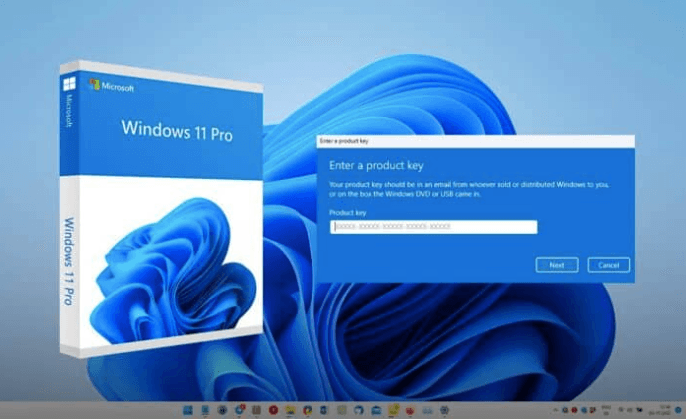
You might already have Pro. Check quickly. Go to Settings > System > About. Look for “Edition.” If it says Pro, you can upgrade. You do not need to reinstall Windows. Just enter an Enterprise key. Your files and apps stay. The upgrade takes five minutes. First, buy a key from AffordableKey. Then go to Activation settings. Click “Change product key.” Enter the new key. Reboot your PC. That is all. Now you have Windows 10 Enterprise. All security features unlock. Remember to enable them. Turn on Credential Guard. Set up AppLocker rules. Activate Device Guard. These steps take one hour. Then you sleep better. So do not delay. Upgrade now. Stay safe. Use the best OS for security.
Conclusion
After comparing both editions, the answer is clear. Windows 10 Enterprise is safer than Pro. It includes AppLocker, Credential Guard, Device Guard, System Guard, Information Protection, and Defender for Endpoint. Pro lacks all these critical tools. These tools stop modern attacks. They protect your data, your identity, and your devices. Pro only offers basic encryption and remote access. That is not enough in 2026. Hackers are smarter than ever. Ransomware gangs target Pro systems because they know the weaknesses. Enterprise closes those gaps proactively. It does not wait for a signature update. It blocks unknown threats automatically. That is real safety.
Many people avoid Enterprise because they think it is too expensive or too complex. That is a myth. You can buy cheap keys from AffordableKey. The upgrade takes five minutes. The settings are easy to learn. And the peace of mind is priceless. Whether you run a business or just care about your home PC, choose Windows 10 Enterprise. Do not let fear of change stop you. Security is not an option anymore. It is a necessity. Make the smart choice today. Upgrade to Windows 10 Enterprise. Protect what matters most. Visit AffordableKey for the best deal. Stay safe out there.