












Windows 10 End of Support: What You Need to Know

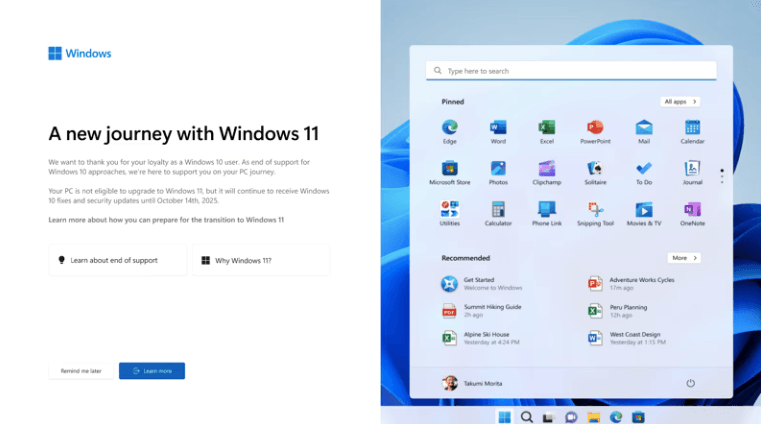
Understanding Windows 10 End of Support
Microsoft has officially announced that Windows 10 will reach its End of Support on October 14, 2025. After this date, Windows 10 will no longer receive free security updates, bug fixes, feature improvements, or technical support from Microsoft. This marks the end of an era for one of the most widely used operating systems worldwide, making it essential for users and organizations to upgrade. At AffordableKey, we offer genuine Windows 11 and Microsoft Office solutions to help you stay secure, productive, and up to date.
Windows 10 End of Support does not mean your Windows 10 PC will suddenly stop working. Your system will continue to operate, and all installed software and files will remain accessible. However, without regular updates, your PC will gradually become more vulnerable to security risks and software compatibility issues.
What Happens Windows 10 End of Support After October 14, 2025?
- No more security updates or patches: Your system will be exposed to newly discovered vulnerabilities.
- No bug fixes: Any newly identified software or system issues will remain unresolved.
- No technical support from Microsoft: You will no longer have access to official assistance for troubleshooting.
- Increased security risks: Malware, ransomware, and other cyberattacks will pose a greater threat.
Continuing to use an unsupported operating system can be particularly risky for businesses, individuals who conduct online banking, or those who store sensitive data.
Extended Security Updates (ESU) Program
For organizations and users who cannot immediately upgrade, Microsoft provides the Extended Security Updates (ESU) Windows 10 End of Support program. Key points include:
- Critical security updates only: No new features or performance enhancements.
- Availability: ESU will be provided until October 13, 2026.
- Paid service: ESU is designed primarily for businesses and enterprises.
Windows 10 End of Support while ESU provides temporary protection, it is not a permanent solution. Organizations should plan for a full migration to a supported OS.
Preparing for the Upgrade
For Devices That Support Windows 11
If your hardware meets the requirements for Windows 11:
- Upgrade promptly: Moving to Windows 11 ensures continued support, enhanced security, and access to modern features.
- Backup your data: Before upgrading, ensure all files and settings are safely backed up.
- Update applications: Windows 10 End of Support Verify that essential applications are compatible with Windows 11.
For Devices That Do Not Support Windows 11
- Consider new hardware: Investing in a modern device ensures compatibility with the latest software and updates.
- Plan the migration: Schedule the transition to a supported OS before October 14, 2025.
- Security precautions: If continuing to use Windows 10 temporarily, implement additional security measures such as strong antivirus software and firewalls.
Best Practices During the Transition
- Audit your systems: Identify all devices running Windows 10.
- Prioritize critical systems: Upgrade devices that handle sensitive data first.
- Communicate with stakeholders: For businesses, inform employees and teams about the migration plan.
- Test before full deployment: Ensure Windows 11 and applications run smoothly on your hardware.
FAQs
Q1: Will my Windows 10 PC stop working after October 14, 2025?
A1: No, your PC will continue to operate, but it will no longer receive security updates, making it vulnerable to attacks.
Q2: Can I still use Windows 10 safely after the End of Support date?
A2: It is not recommended. Without security updates, your system is at higher risk for malware, ransomware, and other cyber threats.
Q3: What is the Extended Security Updates (ESU) program?
A3: ESU is a paid service offered by Microsoft for businesses that provides critical security updates for Windows 10 until October 13, 2026.
Q4: Should I upgrade to Windows 11 immediately?
A4: Yes, if your device meets the system requirements. Upgrading ensures continued support, improved security, and access to new features.
Q5: What if my PC does not support Windows 11?
A5: You should consider purchasing a new device or taking extra security measures while planning the transition to a supported OS.
Q6: Will my applications work on Windows 11?
A6: Most modern applications are compatible, but it is important to check compatibility before upgrading.
Final Thoughts
Windows 10 End of Support Date: October 14, 2025
Windows 10 has served millions of users reliably over the years. However, continuing to use it after the Windows 10 End of Support date exposes systems to security vulnerabilities and operational risks. Planning an early upgrade, whether to Windows 11 or a new device, ensures your data remains safe, your software supported, and your workflow uninterrupted.



