









Microsoft Office 2024 Editions Explained: Home vs Home & Business vs Professional Plus vs Standard

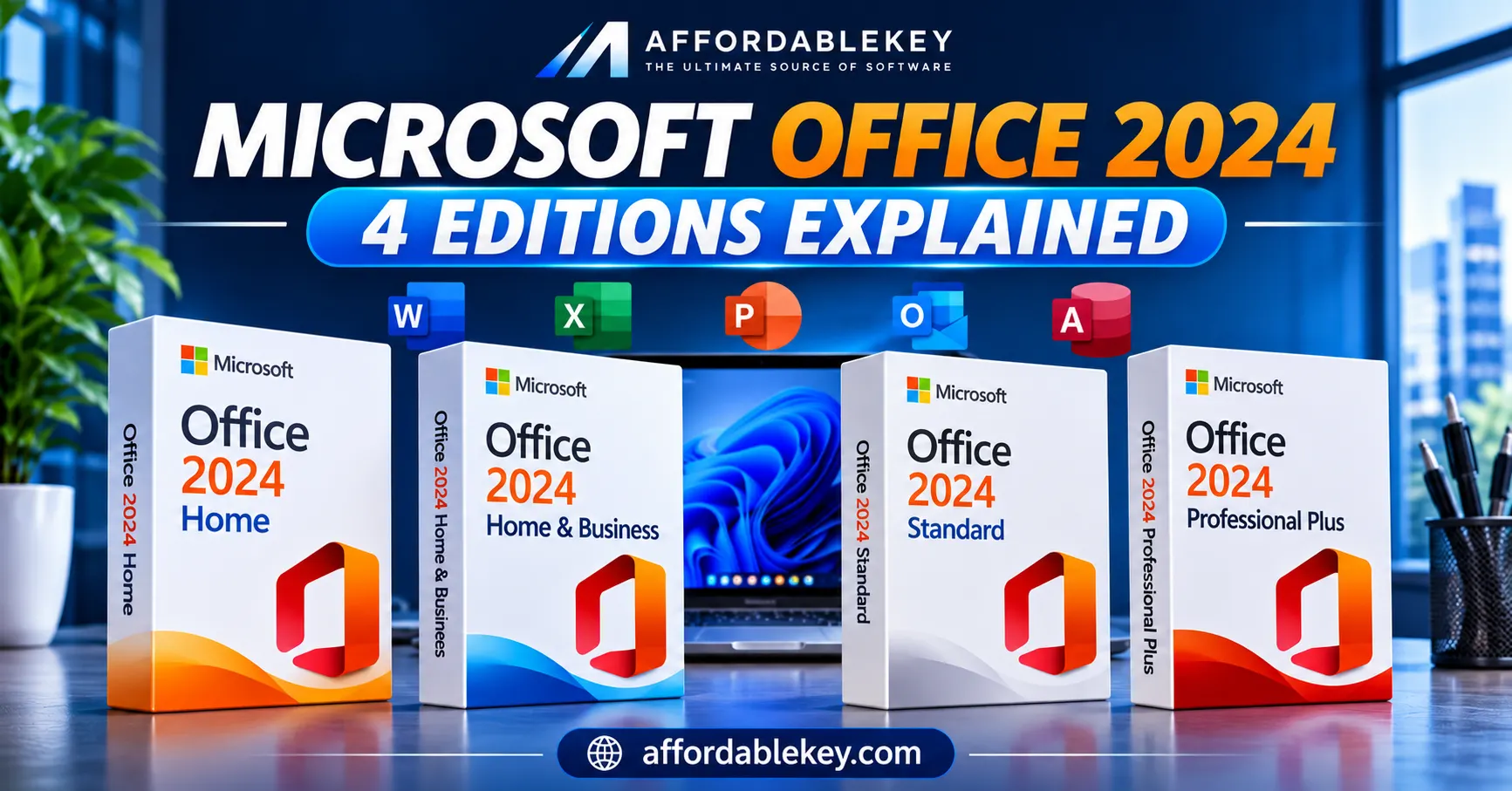
Choosing the right Microsoft Office edition can be confusing, especially when several versions have similar names. Office 2024 Home, Home & Business, Professional Plus, and Standard are designed for different types of users and work requirements.
For daily tasks, some people just use Word and Excel. Others rely on Outlook for email, PowerPoint for presentations, or Access for database-related work. Buying an edition without checking its included applications and licensing terms can lead to paying for features you do not need—or missing an application you actually use.
So, which Microsoft Office 2024 edition should you consider?
In this guide, we will explain the key differences between Office 2024 Home, Home & Business, Professional Plus, and Standard, including their intended use, applications, and important licensing considerations.
What Is Microsoft Office 2024?
Microsoft Office 2024 is a collection of traditional desktop productivity applications available through a one-time purchase. Unlike a Microsoft 365 subscription, a one-time Office 2024 purchase does not require a recurring monthly or annual subscription for the purchased edition.
Depending on the edition, users can work with familiar applications such as Word, Excel, PowerPoint, Outlook, OneNote, and Access.
Office 2024 is worth considering if you prefer a traditional desktop Office experience and do not need the ongoing feature upgrades and cloud services included with Microsoft 365.
However, not every Office 2024 edition includes the same applications or usage rights. That is why understanding the differences matters before purchasing.
Microsoft Office 2024 Editions at a Glance
Here is a quick overview of the four editions available in AffordableKey’s Office 2024 category.
| Office Edition | General Purpose | Important Difference |
|---|---|---|
| Office 2024 Home | Home and school tasks | Core Office applications |
| Office 2024 Home & Business | Home and small-business productivity | Includes Outlook |
| Office 2024 Standard | Commercial productivity environments | Office LTSC licensing and deployment |
| Office 2024 Professional Plus | More advanced business requirements | Includes Access in addition to Standard applications |
Important: The exact applications, supported devices, activation method, and usage rights depend on the specific product and license being offered. Always check the individual product description before buying.
1. Microsoft Office 2024 Home
Office 2024 Home is intended for students, families, and individuals who need familiar Office applications for everyday tasks.
Whether you are preparing an assignment, writing a document, organizing information in a spreadsheet, or creating a presentation, the Home edition covers many common productivity needs.
What Applications Are Included?
Microsoft lists these classic applications in Office Home 2024:
- Word: Create documents, assignments, letters, and reports.
- Excel: Organize information, work with formulas, and create spreadsheets.
- PowerPoint: Create presentations for assignments at work, school, or for personal use.
- OneNote: Keep notes and organize ideas.
Who Should Consider Office 2024 Home?
This edition may suit:
- Students preparing assignments and presentations.
- Families managing everyday documents.
- Individuals who regularly use Word, Excel, and PowerPoint.
- Home users who do not need Outlook as part of their Office purchase.
If your main requirements are document creation, spreadsheets, and presentations, Office 2024 Home may cover what you need.
Before purchasing, confirm the device compatibility and license terms of the specific product.
2. Microsoft Office 2024 Home & Business
Office 2024 Home & Business is designed for families and small businesses that need classic Office applications along with email management through Outlook.
The main difference compared with Office Home 2024 is the inclusion of Outlook.
What Applications Are Included?
The Microsoft-listed Office Home & Business 2024 suite includes:
- Word: Create professional documents and business letters.
- Excel: Manage budgets, records, calculations, and reports.
- PowerPoint: Build presentations for meetings and projects.
- Outlook: Manage email, calendars, and contacts.
- OneNote: Keep notes, plans, and important information organized.
Who Should Consider Office 2024 Home & Business?
It may be suitable for:
- Freelancers who regularly manage email communication.
- Small-business users who need Outlook.
- Professionals working with documents and spreadsheets.
- Home users who want both productivity applications and email management.
If Outlook is an important part of your daily routine, comparing Home & Business with the Home edition is worthwhile.
3. Microsoft Office 2024 Standard
Microsoft’s commercial Office LTSC product line is linked to Office Standard 2024. LTSC stands for Long-Term Servicing Channel.
Unlike the consumer-focused Office Home editions, Office LTSC products are intended for organizations that prefer a more controlled, traditional desktop software deployment.
Microsoft’s Office LTSC Standard 2024 comparison lists these applications:
- Word: Document creation and editing.
- Excel: Spreadsheet and data management.
- PowerPoint: Presentation creation.
- Outlook: Email and calendar management.
- OneNote: Note-taking and organization.
Who Should Consider Office Standard 2024?
Organizations may consider this edition when they need:
- Traditional desktop Office applications.
- A controlled software deployment environment.
- Commercial licensing and administration options.
- A consistent Office setup for their business requirements.
Ordinary consumer office purchases are not the same as Office LTSC licensing. Before choosing an Office Standard product, check whether the license is intended for an individual or organization, how activation works, and which deployment rights are included.
4. Microsoft Office 2024 Professional Plus
Another version of Microsoft’s commercial Office LTSC line is Office Professional Plus. It includes the core productivity applications found in Office Standard, with Microsoft Access as an additional application.
Access is particularly useful for users who work with relational databases, forms, queries, and reports.
What Applications Are Included?
Microsoft’s Office LTSC Professional Plus 2024 comparison lists:
- Word: Create and edit documents.
- Excel: Analyze information and manage spreadsheets.
- PowerPoint: Create presentations.
- Outlook: Manage email and calendars.
- OneNote: Organize notes and information.
- Access: Build and manage desktop databases.
Who Should Consider Office Professional Plus 2024?
This edition may be relevant for:
- Business users who work with databases.
- Organizations that require Access alongside standard Office applications.
- Professionals who need a broader set of desktop productivity tools.
- Environments where commercial Office LTSC licensing is appropriate.
If you do not use Access or need the additional capabilities of this edition, compare its requirements with Office Standard before making a decision.
Office 2024 Home vs Home & Business vs Standard vs Professional Plus
The following table summarizes the main differences.
| Feature or Purpose | Home | Home & Business | Standard LTSC | Professional Plus LTSC |
|---|---|---|---|---|
| Word | Yes | Yes | Yes | Yes |
| Excel | Yes | Yes | Yes | Yes |
| PowerPoint | Yes | Yes | Yes | Yes |
| Outlook | No | Yes | Yes | Yes |
| OneNote | Yes | Yes | Yes | Yes |
| Access | Not included | Not included | Not included | Yes |
| Main audience | Home and school users | Families and small businesses | Commercial environments | Commercial environments needing Access |
This comparison reflects Microsoft’s published application lists for the named editions. Availability, licensing, and supported operating systems can vary by product. In particular, Office Standard and Professional Plus LTSC should not be treated as interchangeable with consumer Home editions.
How to Choose the Right Microsoft Office 2024 Edition
The right edition depends on how you use Office, not simply on how many applications appear in the product description.
Here are a few practical questions to ask yourself:
Do you mainly use Word, Excel, and PowerPoint?
Office 2024 Home may be worth considering if you need the core applications for personal or educational work.
Do you need Outlook for email and calendars?
Compare Office Home & Business with the other editions if Outlook is essential to your daily workflow.
Does your organization use Office LTSC licensing?
Office Standard may be relevant for commercial environments that require traditional desktop applications and controlled deployment.
Do you work with databases in Access?
Professional Plus may be worth examining if Access is an important part of your work.
Before choosing, compare the included applications, intended usage, device compatibility, activation process, and license conditions.
Microsoft Office 2024 vs Microsoft 365: Are They the Same?
No. Although both provide access to familiar Office applications, their purchase models are different.
Office 2024 is offered as a one-time purchase. It provides the classic applications included with the selected edition, but it does not include the ongoing feature upgrades and subscription services associated with Microsoft 365.
Microsoft 365 is a subscription service. Depending on the plan, it provides the latest Office applications, feature updates, cloud storage, and additional services.
Here is a simple comparison:
| Office 2024 | Microsoft 365 |
|---|---|
| One-time purchase | Monthly or annual subscription |
| Classic applications for the purchased edition | Continuously updated applications |
| No ongoing feature upgrades to a new major version | New features and improvements during the subscription |
| The one-time purchase does not include subscription cloud storage. | Plans that qualify include cloud storage. |
| Generally licensed for one PC or Mac for consumer editions | Device installation options depend on the subscription plan |
If you prefer a one-time purchase for a particular computer, Office 2024 may be worth considering. If you need multiple devices, cloud storage, and ongoing feature updates, compare the available Microsoft 365 plans.
Things to Check Before Buying an Office 2024 License
Before purchasing any Microsoft Office product, take a moment to review the details. A little checking can help avoid compatibility and activation problems later.
1. Check the Included Applications
Do not assume every Office edition includes the same apps. Confirm that the product includes the applications you need, especially Outlook or Access.
2. Review Device Compatibility
Check the supported operating system and system requirements. Microsoft Office 2024 consumer suites have specific Windows and macOS requirements, while Office LTSC products can have different deployment requirements.
3. Understand the License Type
Check whether the product is a consumer license or an Office LTSC commercial license. Also review the permitted usage, device allocation, and any transfer or reinstallation restrictions.
4. Confirm the Activation Process
Read the product instructions to understand how the license is activated and whether it is associated with a Microsoft account, device, or organizational deployment process.
5. Review the Seller and Product Information
Before placing an order, check the product description, license details, delivery information, and available support.
Explore Microsoft Office 2024 Products at AffordableKey
Still deciding which Office edition fits your needs?
AffordableKey offers a range of Microsoft Office products to explore, including Office 2024 options. You can compare the available editions and review each product’s details before making a purchase.
Visit the Microsoft Office 2024 category at AffordableKey to explore the available products.
Take your time to check the included applications, compatibility, activation instructions, and license conditions so you can choose an option that matches your requirements.
Frequently Asked Questions
Is Microsoft Office 2024 a one-time purchase?
Office 2024 consumer editions are available as one-time purchases rather than monthly or annual subscriptions. The exact purchase and license terms depend on the edition.
What distinguishes Office 2024 Home from Home & Business?
The main application difference is Outlook. Office Home 2024 includes Word, Excel, PowerPoint, and OneNote, while Home & Business 2024 also includes Outlook.
Does Office 2024 Professional Plus include Access?
Microsoft’s Office LTSC Professional Plus 2024 application list includes Access for Windows PCs, in addition to the applications included with Office LTSC Standard.
Are Office 2024 Standard and Office 2024 Home identical?
No. Office Standard 2024 belongs to Microsoft’s Office LTSC commercial product range, while Office Home 2024 is a consumer edition intended for home and school use.
Does Office 2024 include Microsoft 365 cloud storage?
A one-time Office 2024 purchase does not include the cloud storage services that come with eligible Microsoft 365 subscription plans.
Can I use Office 2024 on more than one computer?
One-time purchases of Consumer Office 2024 are typically licensed for a single Mac or PC.
Always check the specific product’s license terms, as commercial Office LTSC licensing follows different rules.
Final Thoughts
Choosing between Office 2024 Home, Home & Business, Standard, and Professional Plus becomes easier when you focus on the applications and licensing conditions that matter to you.
Home is aimed at everyday personal and educational productivity. Home & Business adds Outlook for email management. Standard and Professional Professional Plus adds access, and Plus is part of the commercial Office LTSC line.
There is no single edition that suits everyone. Compare your actual requirements with the product details before purchasing.
Explore the available Microsoft Office 2024 editions at AffordableKey and choose with confidence.
Editorial note: Product names, included applications, and licensing descriptions should always be checked against the individual product listing and Microsoft’s current documentation before purchase.