Maximizing Productivity with Windows 11 Enterprise

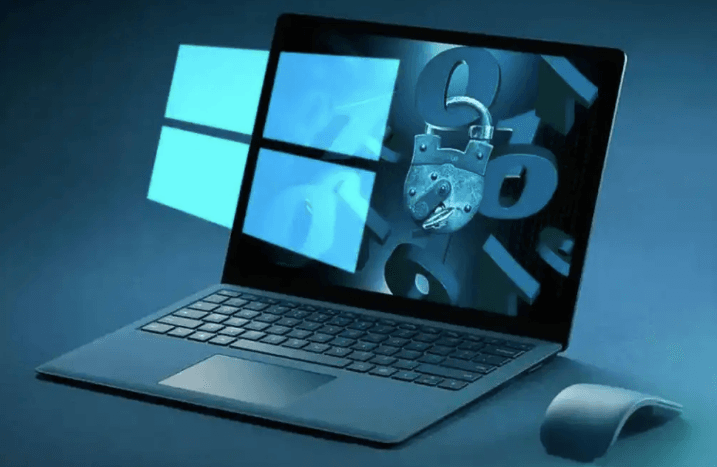
Windows 11 Enterprise is Microsoft’s most advanced operating system for businesses, designed to provide enhanced security, seamless productivity, and flexible management tools. Whether your organization is small, mid-sized, or large, Productivity with Windows 11 Enterprise offers features that empower employees, streamline operations, and protect critical data.
Why Choose Windows 11 Enterprise?
Unlike the Home or Pro versions, Windows 11 Enterprise is built for organizations that require robust security, device management, and productivity features. Key advantages include:
- Advanced Security: Built-in tools like Windows Defender, BitLocker, and Microsoft Endpoint Manager ensure data protection across devices.
- Optimized Productivity: Access to Microsoft 365 apps, collaboration tools, and automation features helps teams work efficiently.
- Flexible Deployment: Enterprise-grade deployment options allow IT teams to manage devices at scale while maintaining security compliance.
These benefits make Windows 11 Enterprise a top choice for businesses aiming to maximize productivity and minimize risks.
Key Features of Windows 11 Enterprise
-
Enhanced Security and Threat Protection
Windows 11 Enterprise provides multi-layered security, including ransomware protection, secure boot, and hardware-based isolation. It also supports advanced identity and access management, keeping sensitive company data safe from cyber threats. -
Seamless Collaboration
With Microsoft Teams integrated directly into Windows 11, employees can communicate, share files, and collaborate in real-time. Features like Snap Layouts and virtual desktops make multitasking easier and help teams stay organized. -
Efficient Device Management
IT teams can manage devices centrally using tools like Microsoft Endpoint Manager and Intune. This allows for automated updates, policy enforcement, and device monitoring, ensuring all endpoints are secure and up to date. -
Support for Virtualization
Windows 11 Enterprise supports Hyper-V and Windows Sandbox, enabling businesses to run virtual machines safely. This is useful for testing applications, isolating risky software, or running legacy systems without compromising security. -
Advanced Analytics and Insights
With built-in analytics tools, organizations can track usage patterns, monitor performance, and optimize workflows. Insights from these tools help in making data-driven decisions and improving operational efficiency.
Tips to Maximize Windows 11 Enterprise
- Regularly Update Devices: Keep your system up to date to take advantage of new security patches and features.
- Leverage Virtual Desktops: Use multiple desktops to separate projects, improving focus and organization.
- Customize Security Settings: Tailor Windows Defender, BitLocker, and firewall policies according to your organization’s needs.
- Use Microsoft 365 Integration: Take full advantage of apps like Teams, SharePoint, and OneDrive for seamless collaboration.
- Explore Automation Tools: Use Windows PowerShell scripts and group policies to automate repetitive tasks and streamline workflows.
Is Productivity with Windows 11 Enterprise Right for Your Business?
Productivity with Windows 11 Enterprise is ideal for businesses that need:
- Advanced security and compliance
- Centralized device and user management
- Productivity tools for remote and hybrid teams
- Support for virtualization and legacy applications
However, smaller organizations with basic needs may find Productivity with Windows 11 Enterprise sufficient, as Enterprise licenses are typically more expensive and tailored for large-scale operations.
Conclusion
Productivity with Windows 11 Enterprise combines powerful security, advanced productivity features, and efficient management tools into a single, enterprise-ready operating system. By leveraging its full capabilities, businesses can enhance workflow efficiency, safeguard sensitive data, and provide employees with tools to collaborate effectively.