









Microsoft Office 2024 vs 2021 vs 2019: Which Office License Should You Buy?

Microsoft Office 2024 vs 2021 vs 2019: Which Office License Should You Buy?
Buying Microsoft Office can seem simple—until you start comparing different versions and editions. Microsoft Office 2024 vs 2021 vs 2019 is a common comparison for anyone looking for a desktop Office license, but the differences go beyond the year printed on the product. If you’re specifically considering Microsoft Office Professional Plus 2024, it’s important to check the included applications, compatibility, license type, and activation requirements before buying.
Microsoft Office 2024 vs 2021 vs 2019 involves more than features. You also need to consider included applications, compatibility, licensing, activation, and Microsoft’s support lifecycle.
Office 2024, Office 2021, and Office 2019 may all give you access to familiar desktop applications, but they are not identical. The version you choose can affect supported operating systems, available features, support lifecycle, included applications, and how the license is activated.
So, which Office version should you buy?
In this guide, we’ll compare Microsoft Office 2024 vs 2021 vs 2019 and explain what you should check before purchasing an Office license.
Microsoft Office 2024 vs 2021 vs 2019: What’s the Difference?
When comparing Microsoft Office 2024 vs 2021 vs 2019, the first thing to understand is that these are different generations of Microsoft’s desktop Office software. The age of the version can affect available features and, importantly, its support lifecycle.
The biggest difference is the generation of the Office software.
Office 2019 is the oldest of the three. Microsoft lists Office 2019 as having reached the end of its support lifecycle in October 2025. That means it should be treated differently from currently supported Office versions when considering a new purchase.
Office 2021 is newer, but its support lifecycle is also approaching its end. Microsoft lists October 2026 as the retirement date for Office 2021.
Office 2024 is the newer generation and includes updated capabilities compared with previous perpetual Office releases. Microsoft documents improvements across applications such as Excel, Word, Access, and accessibility features.
That doesn’t mean everyone needs exactly the same edition. Your choice should depend on your applications, operating system, license requirements, and how long you expect to use the software.
Microsoft Office 2024 vs 2021 vs 2019: Complete Comparison
The Microsoft Office 2024 vs 2021 vs 2019 comparison becomes much easier when you look at the factors that actually matter to a buyer. Instead of choosing an Office product based only on its version year, compare the included applications, operating-system compatibility, license type, activation requirements, and support period.
| Feature | Office 2024 | Office 2021 | Office 2019 |
|---|---|---|---|
| Generation | Newer | Previous generation | Older generation |
| Support status | Current generation | Retirement in 2026 | Support ended in 2025 |
| Desktop apps | Yes, depending on edition | Yes, depending on edition | Yes, depending on edition |
| Newer Office features | More recent | Older feature set | Older feature set |
| Suitable for new purchases | Check edition and license | Check remaining support period | Carefully check support status |
| Windows compatibility | Verify exact edition | Verify exact edition | Verify exact edition |
| License model | Depends on edition | Depends on edition | Depends on edition |
Important: Office editions are not interchangeable. Always check the exact product listing for included applications, supported devices, activation method, and license terms before purchasing.
1. Microsoft Office 2024: What Has Changed?
Office 2024 is the newest version discussed in this comparison.
Microsoft says Office 2024 includes several updates, including new Excel functions, improvements to accessibility, enhanced session recovery in Word, new Access capabilities, and a refreshed design.
For users who want a newer desktop Office generation, the key question isn’t simply whether it says “Office 2024.”
If you’re considering Office 2024 Professional Plus, check the exact edition, included applications, supported operating system, activation method, and license terms before purchasing.
You should also check which Office 2024 edition you’re buying.
Different editions can contain different applications and licensing arrangements.
Office 2024 Professional Plus
Professional Plus editions can include a broader selection of Office applications. For Microsoft’s commercial Office LTSC Professional Plus 2024, Microsoft lists applications including Word, Excel, PowerPoint, Outlook, and Access, with the exact licensing context depending on the product and licensing program.
If you’re considering an Office 2024 Professional Plus product, check:
- Which applications are included
- Supported Windows versions
- Number of devices
- Activation method
- Whether the license is perpetual or subscription-based
- Whether the license is intended for personal or commercial use
- Whether the product matches your specific requirements
This is more important than simply choosing a product because it has the newest year in its name.
2. Microsoft Office 2021: Is It Still Relevant?
Office 2021 remains familiar to many Windows users, but its support timeline is important when considering it in 2026.
Microsoft lists October 2026 as the retirement date for Office 2021.
That means someone considering Office 2021 today should understand the remaining support period rather than treating it as equivalent to a newer Office release.
Office 2021 is available in several editions, including Home and Business, Home and Student, and Professional.
If you’re looking at an Office 2021 product, check:
- The exact edition
- Included applications
- Your Windows or Mac version
- Activation requirements
- Device limitations
- Current Microsoft support information
This is particularly important if you expect to keep the same Office installation for several years.
3. Microsoft Office 2019: What You Need to Know
Office 2019 is older than Office 2021 and Office 2024.
Microsoft’s lifecycle information shows that Office 2019 reached the end of its support period in October 2025. After a product reaches end of support, Microsoft no longer provides the normal technical support, bug fixes, and security fixes associated with supported products.
For that reason, anyone considering an Office 2019 license should pay particular attention to support status and compatibility.
If you already have Office 2019, the situation is different from purchasing a new license today. Existing installations can continue to function, but end of support is an important consideration for security and long-term use.
Office 2024 vs Office 2021 vs Office 2019: Which Apps Do You Get?
One common mistake is assuming that every Office product contains the same applications.
It doesn’t.
Depending on the edition, different applications may be included.
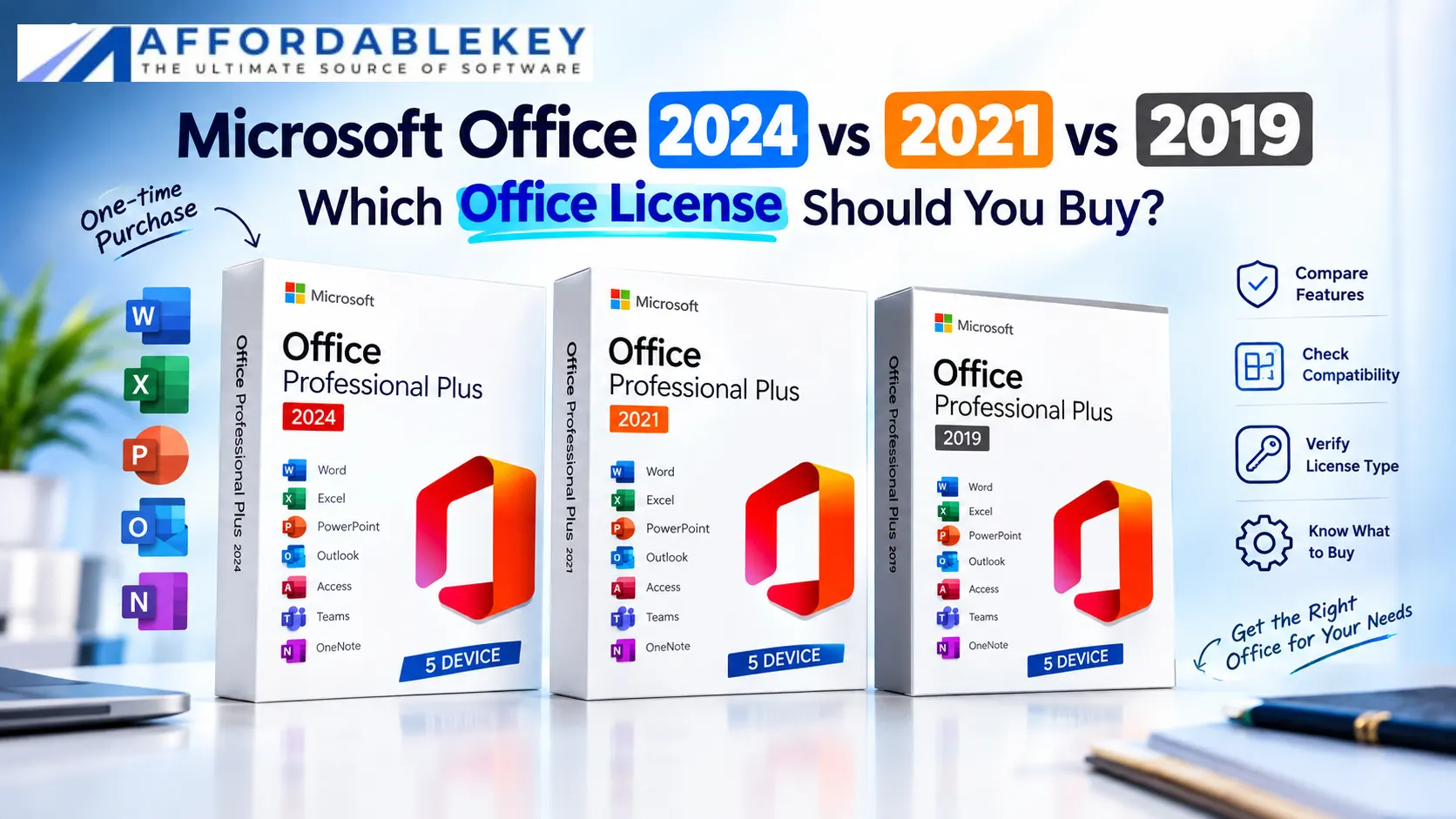
For example, Microsoft documents Office LTSC Professional Plus 2024 as including applications such as:
- Word
- Excel
- PowerPoint
- Outlook
- Access
with the exact licensing context applying to the commercial LTSC product.
Other Office editions can have different application bundles.
So before buying, don’t rely only on the words “Microsoft Office.”
Look for the actual application list.
Need Word, Excel and PowerPoint?
Check whether your chosen edition includes all three.
Need Outlook?
Make sure Outlook is specifically included in the edition you’re purchasing.
Need Access?
Check the edition carefully because Access availability differs between Office suites.
Office License vs Microsoft 365: What’s the Difference?
Another major point of confusion is the difference between a traditional Office license and Microsoft 365.
Microsoft explains that Office 2024 and Office LTSC 2024 are separate from Microsoft 365 subscriptions. Microsoft 365 subscriptions can include additional features and services that aren’t part of Office 2024.
In simple terms:
Traditional Office license
You purchase a specific Office edition and use the applications covered by that license.
Microsoft 365
You subscribe to a Microsoft 365 plan and receive the applications and services included with that subscription.
Neither description tells you which option fits your situation by itself.
The important thing is understanding what you’re actually purchasing.
What Should You Check Before Buying Microsoft Office?
Before clicking the purchase button, go through this checklist.
1. Check the exact Office version
Is it:
- Office 2024?
- Office 2021?
- Office 2019?
- Microsoft 365?
Don’t assume the year from an image or product title alone.
2. Check the edition
Office Home & Student, Home & Business, Professional, and Professional Plus can have different application bundles and licensing arrangements.
Always read the exact product specifications.
3. Check the included applications
Make sure the programs you actually need are included.
For example:
Word + Excel + PowerPoint may be enough for one user.
Someone who also needs Outlook or Access should check the edition more carefully.
4. Check operating-system compatibility
Compatibility matters just as much as the Office version.
If you’re using Windows 11, you may also want to check our guide to Windows 11 product key activation before troubleshooting activation-related issues.
Microsoft publishes specific system requirements for different Office products. For example, Microsoft’s Office LTSC 2024 requirements include supported Windows versions and hardware requirements that should be checked before installation.
Don’t buy first and check compatibility later.
5. Check the license type
Look carefully at whether the product is:
- Subscription-based
- Perpetual/non-subscription
- Retail
- Volume licensed
- Intended for a particular type of organization
The terminology matters.
6. Check activation requirements
Understand whether activation requires:
- A Microsoft account
- A product key
- Internet access
- A particular installation method
The exact process depends on the product.
7. Check the support lifecycle
This is especially important when comparing older versions.
As of 2026, Microsoft lists Office 2019 as having reached end of support, while Office 2021 is approaching its October 2026 retirement date.
Microsoft Office 2024 vs 2021 vs 2019: What Should You Check?
Before making a decision after reading a Microsoft Office 2024 vs 2021 vs 2019 comparison, check the exact product edition. Two Office products from different editions can contain different applications even when they belong to the same Office generation.
If you are comparing Microsoft Office 2024 vs 2021 vs 2019, also verify your operating system, the applications you need, the number of devices covered, the activation process, and the license terms shown on the product page.
Which Office Version Fits Your Needs?
Instead of asking only “Which Office version is best?”, start with your actual requirements.
You want a newer Office generation
Look at Office 2024 and compare the available editions, applications, compatibility, and license terms.
You specifically need Office 2021
Check the exact edition and understand its remaining support lifecycle before purchasing.
You’re considering Office 2019
Pay close attention to its end-of-support status and whether there is a specific compatibility reason you need that version.
You need several Office applications
Compare the application bundles carefully. A Professional or Professional Plus edition may contain applications that aren’t included in simpler editions.
You want cloud services and ongoing subscription benefits
Compare the Office product with the relevant Microsoft 365 plan rather than comparing Office versions alone.
Common Mistakes When Buying Microsoft Office
Buying based only on the year
“2024” doesn’t automatically tell you which applications are included.
Assuming every Office edition is the same
They aren’t. Editions can differ significantly in application bundles and licensing.
Ignoring support dates
An older Office version can still be familiar and functional, but support status matters for a new purchase.
Forgetting compatibility
Always check your Windows or Mac version before buying.
Confusing Office with Microsoft 365
A non-subscription Office product and a Microsoft 365 subscription are different product models.
Why Compare Microsoft Office 2024 With Older Versions?
One reason people search for Microsoft Office 2024 vs 2021 vs 2019 is that different Office products can still be available at the same time. A newer version may offer a different feature set and support timeline, while an older version may be familiar to users who already have it installed.
That’s why the Microsoft Office 2024 vs 2021 vs 2019 comparison should focus on your actual requirements rather than simply choosing the version with the newest number.
Frequently Asked Questions
What is the difference between Microsoft Office 2024, 2021 and 2019?
The Microsoft Office 2024 vs 2021 vs 2019 comparison mainly concerns the software generation, available features, compatibility, and support lifecycle. The exact applications and licensing terms depend on the Office edition.
Is Office 2024 newer than Office 2021 and Office 2019?
Yes. Office 2024 is the newer generation compared with Office 2021 and Office 2019. However, when comparing Microsoft Office 2024 vs 2021 vs 2019, buyers should also check the specific edition and license terms rather than looking only at the release year.
Final Thoughts on Microsoft Office 2024 vs 2021 vs 2019
The Microsoft Office 2024 vs 2021 vs 2019 comparison shows why choosing an Office license should involve more than looking at the price or version number.
When comparing Microsoft Office 2024 vs 2021 vs 2019, look at the Office edition, included applications, operating-system compatibility, activation method, license terms, and Microsoft support lifecycle.
The right choice depends on what you need from your Office software and how you plan to use it. Take a few minutes to verify the exact product specifications before purchasing.
Ready to compare Microsoft Office products?