










How to Get Black Friday Deals at AffordableKey: 5 Easy Steps

How to Get AffordableKey’s Black Friday Deals: A Step-by-Step Guide
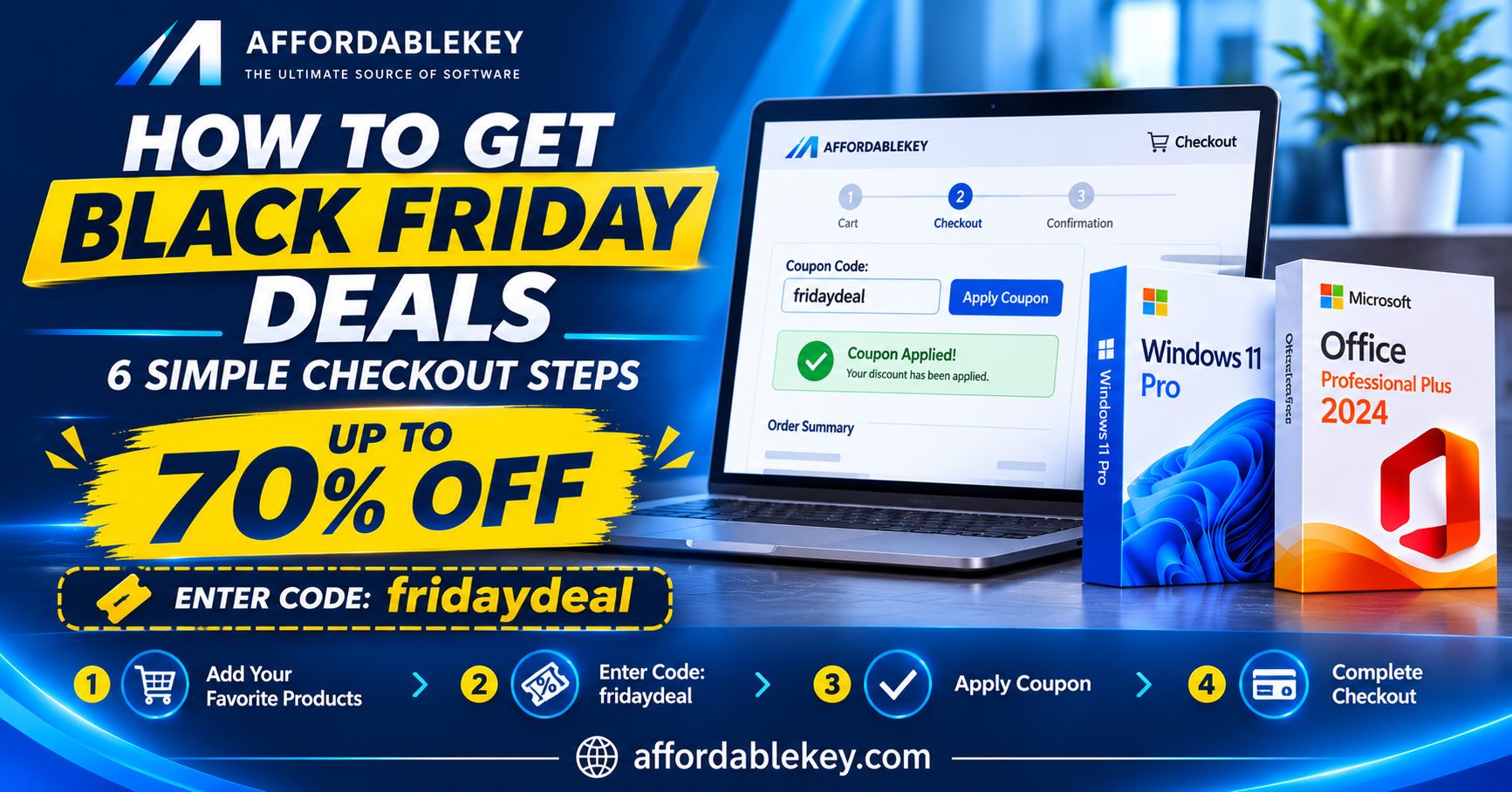
Wondering how to get Black Friday deals on Windows and Microsoft Office software? AffordableKey is offering up to 70% OFF on eligible products during its Black Friday campaign. You can explore available software, choose an eligible product, and apply the coupon code fridaydeal during checkout to check your discount.
Choosing the right product is an important part of how to get Black Friday deals that match your software needs and budget.
What Is the AffordableKey Black Friday Offer?
AffordableKey’s Black Friday campaign features up to 70% OFF on eligible software products.
You can explore available products from categories such as:
- Windows 11 Pro and Home
- Windows 10
- Microsoft Office Professional Plus 2024
- Microsoft Office 2021 and 2019
- Microsoft 365
The discount may vary depending on the product. Therefore, check the product price and eligibility before placing your order.
How to Get Black Friday Deals at AffordableKey
Follow these steps to apply the available Black Friday offer.
Step 1: Visit the AffordableKey Website
Start by visiting the official website
Browse the homepage and available software categories to find products included in the Black Friday campaign.
Step 2: Choose Your Software Product
When learning how to get Black Friday deals, start by choosing the software that matches your needs.
Select the Windows or Microsoft Office product that matches your requirements.
Before purchasing, review:
- Product edition and version
- System compatibility
- Included applications or features
- License information
- Product description and activation details
Choosing the right edition is important because different products offer different features.
Step 3: Add the Product to Your Cart
Once you have selected a product, open its product page and review the details.
Click the Add to Cart option to include the product in your shopping cart.
You can review the selected product and its displayed price before proceeding.
Step 4: Enter the Black Friday Coupon Code
Another important step in how to get Black Friday deals at AffordableKey is applying the correct coupon code.
This is the most important step.
At checkout, locate the coupon code field and enter:
fridaydeal
Make sure the spelling is correct. Then click the Apply Coupon option.
The website should update the cart if the coupon is valid for your selected product.
If you want to know how to get Black Friday deals without missing your savings, always confirm that the coupon has been applied and review the final price before placing your order.
Step 5: Check Your Discount
To understand how to get Black Friday deals successfully, always review your cart after applying the coupon.
After applying the coupon, review your updated cart carefully.
Check these details:
- Selected product and quantity
- Original product price
- Applied discount
- Updated total amount
AffordableKey advertises up to 70% OFF on eligible products. The maximum advertised discount may not apply to every product.
Always verify the actual discount displayed in your cart.
Step 6: Complete Your Order
If the product details, applied discount, and final amount are correct, proceed with the available checkout instructions.
Review your order information before completing the purchase.
Which Products Can You Explore During the Sale?
Here are some software categories worth exploring during the AffordableKey Black Friday campaign.
Windows Software
If you are planning to upgrade your PC or choose a Windows edition, compare the available Windows products.
Options may include Windows 11 Pro, Windows 11 Home, and Windows 10.
Explore Windows products:
Microsoft Office Software
For work, education, and everyday productivity, you can compare different Microsoft Office editions.
Available options may include Office Professional Plus 2024, Office 2021, Office 2019, and Microsoft 365.
Explore Microsoft Office products:
Check the individual product description to understand its included applications and licensing terms.
Common Mistakes to Avoid When Applying a Coupon
Before completing your order, avoid these common mistakes:
Entering the wrong coupon code: Make sure you enter fridaydeal correctly.
Not clicking Apply Coupon: Entering a code alone may not apply the discount. Follow the checkout process and verify the updated total.
Assuming every product has the maximum discount: The campaign advertises up to 70% OFF, not a guaranteed 70% discount on every item.
Ignoring product details: Always check the edition, compatibility, and license terms.
Skipping the final price check: Confirm that the expected discount appears before placing your order.
Get Your Black Friday Software Deals at AffordableKey
Now you know how to get the AffordableKey Black Friday offer.
Visit the website, compare available Windows and Microsoft Office products, choose an eligible option, and enter coupon code fridaydeal during checkout.
Remember, the campaign offers up to 70% OFF on eligible products. Check the final discounted price before completing your order.
Ready to explore the deals?
Visit AffordableKey
Frequently Asked Questions
1. How to get Black Friday deals at AffordableKey?
Visit AffordableKey, choose an eligible product, add it to your cart, enter the code fridaydeal, and click Apply Coupon. Check the updated total before completing your order.
2. How do I get AffordableKey’s Black Friday discount?
Visit AffordableKey, select an eligible product, add it to your cart, and enter coupon code fridaydeal at checkout. Apply the code and verify the updated total.
3. What is the AffordableKey Black Friday coupon code?
The coupon code for this campaign is fridaydeal.
4. How much discount can I get?
AffordableKey advertises up to 70% OFF on eligible products. The actual discount depends on the selected product.
5. Can I use the coupon on Windows and Microsoft Office products?
You can explore both Windows and Microsoft Office categories. However, coupon eligibility may vary by product, so verify the discount at checkout.
6. What should I do if my coupon does not work?
Check that the code is entered correctly and that your selected product is eligible. Review the displayed product and offer details before proceeding.
7. How can I confirm that the discount has been applied?
After clicking Apply Coupon, check the updated cart total and confirm that the discount is visible before completing your order.