












Windows 11 Home vs Pro for Gaming: Which Is Better?

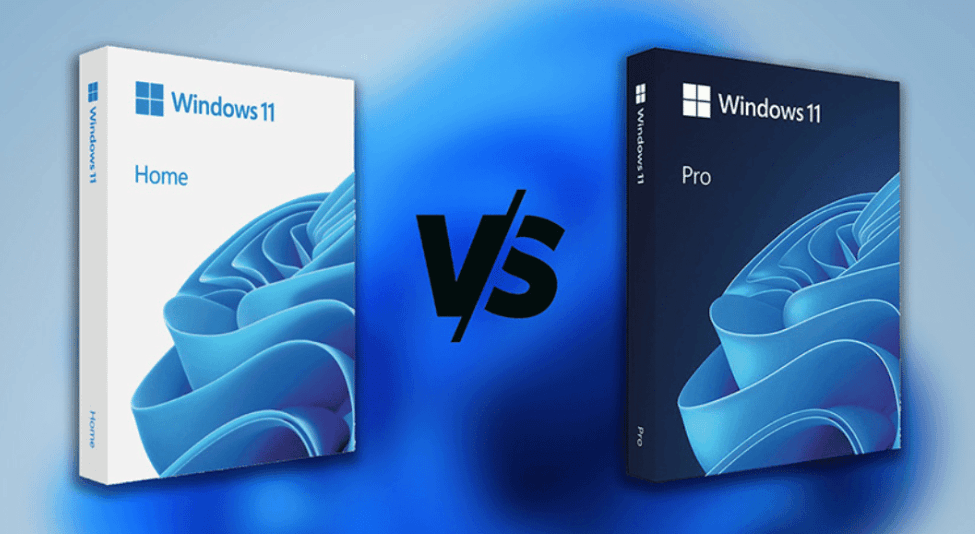
Windows 11 Home vs Pro for Gaming: Which Version Delivers the Best Gaming Performance?
Gaming on PC has reached a new level with the release of Windows 11, bringing better performance optimization, modern visuals, and next-generation gaming technologies. However, many gamers face one common question before upgrading or building a new gaming PC:
Windows 11 Home vs Pro for Gaming – which one should you choose?
In this in-depth guide by AffordableKey.com, we will compare Windows 11 Home vs Pro for Gaming specifically from a gamer’s perspective. You’ll learn about performance differences, gaming features, security, system requirements, and whether upgrading to Pro actually improves gaming performance.
If you are a casual gamer, competitive esports player, streamer, or someone building a high-end gaming rig, this article will help you make the right choice without wasting money.
Windows 11 Home:🛒 Buy Now
Windows 11 Pro:🛒 Buy Now
✅ Introduction to Windows 11 for Gamers
Windows 11 is designed with gaming in mind. Microsoft introduced several gaming-focused enhancements that make it the best Windows version for gaming so far, including:
-
DirectX 12 Ultimate
-
Auto HDR
-
DirectStorage
-
Improved CPU scheduling
-
Better support for high-refresh-rate monitors
Both Windows 11 Home vs Pro for Gaming include these core gaming technologies. However, the differences lie in advanced features, security, and professional tools, which may or may not matter to gamers.
⚡ Windows 11 Home Overview
Windows 11 Home is the standard edition designed for everyday users, home PCs, and most gamers.
 ♻️ Key Features of Windows 11 Home
-
DirectX 12 Ultimate support
-
Auto HDR for better visuals
-
DirectStorage for faster game loading
-
Optimized gaming performance
-
Support for high-end GPUs and CPUs
-
Xbox Game Pass integration
-
Modern UI and Snap Layouts
For the majority of gamers, Windows 11 Home provides everything needed for smooth and immersive gameplay.
🎯 Windows 11 Pro Overview
Windows 11 Pro is aimed at professionals, power users, and businesses. While it includes all Home features, it also adds advanced system control and security options.
 🚀Additional Features in Windows 11 Pro
-
BitLocker drive encryption
-
Hyper-V virtualization
-
Remote Desktop (host)
-
Group Policy Editor
-
Windows Sandbox
-
Support for more RAM and CPUs
-
Advanced security and network management
These features do not directly improve FPS or graphics quality, but they can be useful for streamers, developers, and advanced users.
✅ Gaming Performance: Windows 11 Home vs Pro for Gaming
FPS and Game Performance
One of the biggest myths is that Windows 11 Pro gives better FPS than Home. In reality:
-
Gaming performance is identical on both versions
-
Same DirectX, GPU drivers, and CPU optimization
-
Same Windows gaming services running in the background
📌 There is no FPS advantage when choosing Windows 11 Pro over Home for gaming.
Load Times and Responsiveness
Both versions support:
-
DirectStorage (with compatible NVMe SSDs)
-
Faster boot times
-
Reduced CPU overhead
Result: Equal game loading speeds on Home and Pro.
⭐ Gaming Features Comparison
DirectX 12 Ultimate
Available on both Home and Pro, delivering:
-
Ray tracing
-
Variable Rate Shading
-
Mesh shaders
Auto HDR
Both editions enhance older games with:
-
Better lighting
-
Improved contrast
-
More immersive visuals
Xbox Game Pass Integration
Identical on both versions, allowing access to:
-
Hundreds of PC games
-
Day-one Xbox exclusives
System Resource Usage
Some gamers worry that Windows 11 Pro uses more system resources.
🚀Truth:
-
Background services are nearly identical
-
Pro features stay inactive unless used
-
No extra RAM or CPU usage during gaming
👉 No performance loss on Windows 11 Pro, but no gain either.
🔒 Security Features and Gaming
Windows 11 Home Security
-
Windows Defender Antivirus
-
Secure Boot
-
TPM 2.0
-
Core Isolation
More than enough for:
-
Online gaming
-
Multiplayer security
-
Anti-cheat compatibility
Windows 11 Pro Security
-
BitLocker encryption
-
Advanced network protection
-
Device management tools
Useful if:
-
You travel with your gaming laptop
-
You want extra protection for game accounts
-
You use public or work networks
🔘 Streaming, Recording, and Content Creation
Benefits of Pro for Streamers
-
Hyper-V for virtual testing
-
Better control over background processes
-
Remote Desktop hosting
-
More system customization
If you are:
-
A Twitch or YouTube streamer
-
A game developer
-
A content creator
➡️ Windows 11 Pro is a better long-term option
Hardware Support Differences
| Feature | Windows 11 Home | Windows 11 Pro |
|---|---|---|
| Max RAM | 128 GB | 2 TB |
| CPU Sockets | 1 | 2 |
| GPU Support | Same | Same |
For 99% of gamers, Windows 11 Home supports more than enough hardware.
Compatibility with Games and Anti-Cheat
Both versions:
-
Support all modern PC games
-
Work with Easy Anti-Cheat, BattlEye, Vanguard
-
Compatible with Steam, Epic Games, Battle.net
⚠️ Note: Virtualization features (Hyper-V) in Pro may need to be disabled for some anti-cheat systems, but this is optional.
Windows 11 Home vs Pro: Which Is Better for Gaming?
Choose Windows 11 Home if:
-
You are a casual or competitive gamer
-
You want maximum performance at lower cost
-
You don’t need advanced system tools
-
You just want to install games and play
Choose Windows 11 Pro if:
-
You are a streamer or content creator
-
You use your PC for both work and gaming
-
You want advanced security features
-
You plan to upgrade hardware long-term
🚀Price Comparison and Value for Gamers
Windows 11 Pro is usually more expensive than Home. If your main purpose is gaming:
💡 Windows 11 Home offers the best value for money
However, at AffordableKey.com, you can get:
-
Genuine Windows 11 Home keys
-
Genuine Windows 11 Pro keys
-
Instant digital delivery
-
Affordable pricing
-
Secure payment options
🎮 Why Buy Windows 11 Home vs Pro for Gaming from AffordableKey.com?
AffordableKey.com is a trusted platform for genuine Windows licenses at budget-friendly prices.
Benefits of Buying Windows 11 Home vs Pro for Gaming AffordableKey.com
-
100% genuine activation keys
-
Instant email delivery
-
Competitive pricing
-
Secure checkout
-
Excellent customer support
-
Perfect for gamers and PC builders
Whether you choose Windows 11 Home vs Pro for Gaming, AffordableKey.com ensures a smooth and safe activation experience.
Final Verdict: Windows 11 Home vs Pro for Gaming
When it comes to pure gaming performance, the answer is clear:
🎮 Windows 11 Home vs Pro for Gaming perform exactly the same in games
There is no FPS boost, no better graphics, and no faster loading times with Pro.
-
Windows 11 Home → Best choice for most gamers
-
Windows 11 Pro → Best for streamers, creators, and power users
Choose based on your usage, not myths.
FAQs – Windows 11 Home vs Pro for Gaming
❓ Is Windows 11 Home good for gaming?
Yes. Windows 11 Home is fully optimized for gaming and delivers the same FPS and performance as Windows 11 Pro.
❓ Does Windows 11 Pro give better FPS in games?
No. There is no FPS or performance difference between Windows 11 Home and Windows 11 Pro for gaming.
❓ Which is better for gaming, Windows 11 Home vs Pro for Gaming?
For most gamers, Windows 11 Home is the best and most affordable choice. Windows 11 Pro is better for streamers and power users.
❓ Can Windows 11 Home run high-end games?
Yes. Windows 11 Home supports modern GPUs, latest CPUs, and up to 128GB RAM, which is more than enough for high-end gaming.
❓ Is Windows 11 Pro required for game streaming?
No. You can stream games on Windows 11 Home. Pro is useful only if you need advanced features, not better gaming performance.
❓ Is Windows 11 Home safe for online gaming?
Yes. It includes Windows Defender, Secure Boot, and TPM 2.0, making it secure for online and multiplayer gaming.
❓ Can I upgrade from Windows 11 Home vs Pro for Gaming later?
Yes. You can upgrade anytime using a valid Windows 11 Pro key without reinstalling Windows.
For the best deals on Windows 11 licenses, visit AffordableKey.com and upgrade your gaming PC today.



