












Microsoft Office 2024 Professional Plus – The Ultimate Guide for Professionals

✨ Microsoft Office 2024 Professional Plus: Complete Guide, Features, Benefits, and Use Cases
Microsoft Office 2024 Professional Plus represents the latest evolution of Microsoft’s productivity ecosystem, designed for professionals, businesses, and advanced users who need powerful, reliable, and modern office tools. As a perpetual-license edition, it is especially attractive to users who prefer a one-time purchase instead of a subscription model. In this in-depth guide, we will explore Microsoft Office 2024 Professional Plus in detail, covering its features, improvements, benefits, system compatibility, use cases, and why it remains one of the most trusted productivity suites in the world. You can purchase your official Microsoft Office 2024 Professional Plus license from AffordableKey for fast, secure, and reliable delivery.
💼 What Is Microsoft Office 2024 Professional Plus?
Microsoft Office 2024 Professional Plus is a premium edition of the Microsoft Office 2024 suite. It includes a complete set of productivity applications used daily by businesses, organizations, educators, and power users. This edition is tailored for professional environments that require advanced tools for document creation, data analysis, presentations, communication, and collaboration.
Unlike Microsoft 365, which operates on a subscription basis, Office 2024 Professional Plus is offered as a one-time license. Once installed and activated, users can access the software indefinitely on a compatible system, making it a cost-effective solution for long-term use.
📌Applications Included in Microsoft Office 2024 Professional Plus
One of the main strengths of Microsoft Office 2024 Professional Plus is its comprehensive app lineup. Each application serves a specific purpose while integrating seamlessly with the others.
Microsoft Word 2024
- Word 2024 continues to be the industry standard for document creation. It offers enhanced formatting tools, improved performance, and smarter editing features. Users can create professional reports, contracts, letters, and long-form content with ease.
Microsoft Excel 2024
- Excel 2024 is a powerful tool for data analysis, budgeting, forecasting, and reporting. With improved formulas, enhanced charting options, and better performance handling large datasets, Excel remains essential for finance professionals, analysts, and businesses.
Microsoft PowerPoint 2024
- PowerPoint 2024 helps users create visually compelling presentations. Enhanced design tools, smoother animations, and better media support make it ideal for business presentations, training sessions, and educational content.
Microsoft Outlook 2024
- Outlook 2024 is more than just an email client. It combines email, calendar, contacts, and task management in one place. Improved search, better security features, and a refined interface make managing communication more efficient.
Microsoft Access 2024
- Access 2024 is designed for database management and development. It allows users to create, manage, and analyze databases without advanced programming knowledge, making it useful for small to medium-sized business applications.
Microsoft Publisher 2024
- Publisher 2024 is ideal for creating professional marketing materials such as brochures, flyers, newsletters, and business cards. It offers precise layout control and design flexibility.
Microsoft OneNote 2024
- OneNote 2024 provides a digital workspace for note-taking, brainstorming, and organization. It is especially useful for meetings, research, and project planning.
🔍Key Features and Improvements in Office 2024 Pro Plus
Microsoft Office 2024 Professional Plus builds upon previous versions with noticeable improvements in performance, usability, and security.
Modern User Interface
- The updated interface is cleaner and more intuitive, aligning with modern Windows design standards. Icons, menus, and layouts are optimized for better readability and ease of use.
Improved Performance
- Office 2024 applications load faster and run more smoothly, even on systems handling large files. Optimized memory usage ensures better multitasking and fewer slowdowns.
Enhanced Security
- Security is a major focus in Office 2024 Professional Plus. Advanced data protection, improved encryption, and better control over macros help safeguard sensitive information.
Better Compatibility
- Office 2024 maintains excellent compatibility with older Office file formats while fully supporting modern document standards. This ensures smooth collaboration with users on different Office versions.
Offline Productivity
- Since this is a perpetual-license edition, all core features work offline after activation. This is particularly valuable for users who do not want to rely on constant internet access.
👉Who Should Use Microsoft Office 2024 Professional Plus?
Microsoft Office 2024 Professional Plus is designed for a wide range of users who need professional-grade productivity tools.
Businesses and Enterprises
- Companies benefit from powerful tools for documentation, data analysis, presentations, and communication. The inclusion of Access and Publisher makes it suitable for internal databases and marketing materials.
Professionals and Freelancers
- Accountants, consultants, writers, designers, and analysts rely on Office applications daily. The one-time license model offers long-term value without recurring costs.
Educational Institutions
- Schools, colleges, and training centers can use Office 2024 Professional Plus for administrative work, teaching materials, and student projects.
Home Power Users
- Advanced home users who need more than basic office tools will appreciate the full feature set and reliability of the Professional Plus edition.
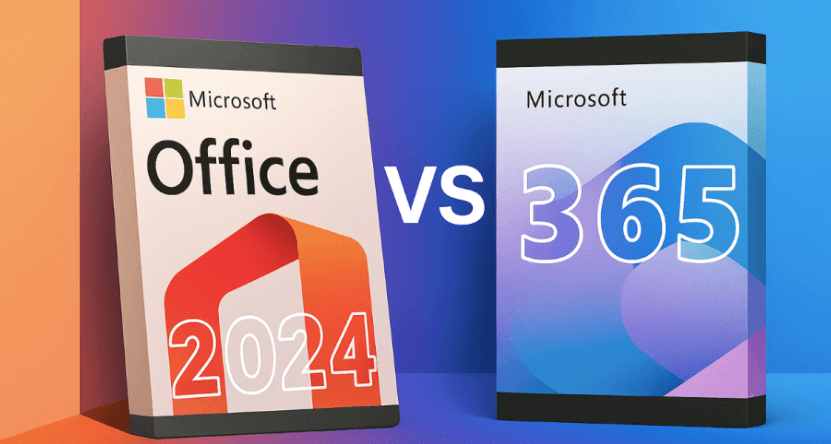
⚖️ Microsoft Office 2024 Professional Plus vs Microsoft 365: Key Differences
Microsoft offers two main ways to get its productivity tools: Office 2024 Professional Plus and Microsoft 365. While both provide access to Word, Excel, PowerPoint, Outlook, and other apps, there are important differences that affect cost, features, and usability.
1️⃣ Licensing Model
Microsoft Office 2024 Professional Plus
-
One-time purchase (perpetual license)
-
Pay once, use indefinitely
-
Ideal for users who prefer offline access without recurring fees
Microsoft 365
-
Subscription-based (monthly or yearly)
-
Continuous updates and cloud services included
-
Offers flexibility for teams and remote work
2️⃣ Updates & Features
Office 2024 Professional Plus
-
Includes only features available at the time of purchase
-
No major new features after purchase
-
Security updates included
Microsoft 365
-
Always up-to-date with the latest features
-
Cloud-based enhancements and AI tools added regularly
-
Ideal for businesses needing cutting-edge tools
3️⃣ Cloud & Collaboration
Office 2024 Professional Plus
-
Works offline by default
-
Collaboration features limited
-
Requires manual sharing of files for teamwork
Microsoft 365
-
Cloud-first approach with OneDrive integration
-
Real-time collaboration on Word, Excel, and PowerPoint
-
Teams integration for chat and meetings
4️⃣ Storage
Office 2024 Professional Plus
-
Local storage only; limited to device storage
-
No OneDrive storage included
Microsoft 365
-
Includes 1TB OneDrive storage per user
-
Easy access to files from anywhere, multiple devices
5️⃣ Cost
Office 2024 Professional Plus
-
One-time cost (higher upfront but no ongoing fees)
-
Better for long-term budget planning
Microsoft 365
-
Lower initial cost but recurring subscription
-
Cost scales with the number of users
6️⃣ Ideal Users
Office 2024 Professional Plus
-
Businesses or users who want a one-time purchase
-
Offline users with stable systems
-
Teams not requiring frequent cloud collaboration
Microsoft 365
-
Businesses with remote teams
-
Users who want constant updates and cloud access
-
Organizations using Teams, SharePoint, and cloud-based workflows
✅ Summary Table
| Feature | Office 2024 Professional Plus | Microsoft 365 |
|---|---|---|
| License | One-time purchase | Subscription |
| Updates | Feature updates limited | Continuous updates |
| Cloud Storage | Local only | 1TB OneDrive per user |
| Collaboration | Manual sharing | Real-time, cloud-based |
| Cost | One-time upfront | Recurring |
| Ideal For | Offline users, long-term | Remote teams, cloud-first |
Final Thoughts
Microsoft Office 2024 Professional Plus is a powerful, reliable, and cost-effective productivity suite for professionals, businesses, and advanced users. With its comprehensive set of applications, modern interface, enhanced security, and one-time license model, it delivers excellent value for users who want full control over their software.
For anyone seeking a complete office solution without ongoing subscription costs, Microsoft Office 2024 Professional Plus stands out as a smart and dependable choice in today’s productivity landscape.
❓FAQ’s
Q1: What is Microsoft Office 2024 Professional Plus?
A: Microsoft Office 2024 Professional Plus is a premium productivity suite for professionals and businesses. It includes Word, Excel, PowerPoint, Outlook, Access, Publisher, and OneNote, all in a single package with a one-time purchase license.
Q2: What apps are included in Office 2024 Professional Plus?
A: The suite includes Word, Excel, PowerPoint, Outlook, Access, Publisher, OneNote, and other productivity tools needed for document creation, presentations, data analysis, and collaboration.
Q3: Can I use Microsoft Office 2024 Professional Plus offline?
A: Yes. Office 2024 Professional Plus is a one-time purchase license that works offline, allowing you to use all core features without an internet connection.
Q4: Will I get updates for Office 2024 Professional Plus?
A: You will receive security updates and bug fixes. Major feature upgrades released after purchase are not included.
Q5: Can I install Microsoft Office 2024 Professional Plus on multiple devices?
A: Each license is generally valid for one PC or Mac. To use it on multiple devices, you need additional licenses.
Q6: Is Office 2024 Professional Plus suitable for businesses?
A: Yes. It is designed for businesses, agencies, and professional teams, offering tools for document creation, spreadsheets, presentations, databases, and marketing materials.
Q7: How do I activate Microsoft Office 2024 Professional Plus?
A: After purchase, your license key and activation instructions are delivered via email. Simply follow the steps to install and activate on your device.
Q8: Is Microsoft Office 2024 Professional Plus a one-time purchase?
A: Yes. Unlike subscription-based services, this version requires one upfront payment for permanent access to the software on your device.



