What Is the Difference Between Windows Server 2025 and Windows Server 2022?

Windows Server 2025 and Windows Server 2022 — A Complete Guide
In today’s fast‑moving enterprise IT landscape, choosing the right server operating system is critical. Windows Server 2025 and Windows Server 2022 are two major releases from Microsoft designed to power business infrastructures — but they differ significantly in features, performance, cloud readiness, security, scalability, and modern workload support. At AffordableKey, we help IT professionals and businesses understand these differences so you can make informed decisions about which server version fits your organization’s needs. This article breaks down those differences in clear terms for easy comparison.
Overview: Difference Between Windows Server vs Windows Server 2025
Windows Server 2022 was released in August 2021 as a Long‑Term Servicing Channel (LTSC) version emphasizing security, hybrid cloud integration, and improved networking. It continued to expand on core Windows Server stability, offering enhanced protection and tighter integration with Microsoft Azure services.
By contrast, Windows Server 2025, which became generally available in November 2024, builds on this foundation with modernized cloud‑native capabilities, deeper hybrid support, large‑scale performance enhancements, integrated AI features, and forward‑looking infrastructure improvements.
1. Security Enhancements
Windows Server 2022:
Difference Between Windows Server 2022 brought significant security upgrades over its predecessors. These include Secured‑core Server, which strengthens hardware and firmware protection, Credential Guard, and hypervisor‑protected code integrity to help defend against sophisticated attacks. It also offers SMB AES‑256 encryption and support for DNS over HTTPS (DoH) to make network traffic more secure.
Windows Server 2025:
Difference Between Windows Server 2025 goes further with multilayered threat protection and AI‑enhanced defense mechanisms. This version expands Active Directory security protocols, strengthens SMB hardening, and includes enhanced encryption defaults and protections against modern attack vectors such as relay or spoofing attacks. Additionally, newer features like Credential Guard enabled by default simplify deployment and hardened defense.
Conclusion on Security:
Difference Between Windows Server 2022 was already robust, 2025’s security model is more advanced, with additional built‑in defenses and automation that make it more resilient against contemporary threats.
2. Hybrid Cloud and Integration
Hybrid cloud support is a major focus for both versions, but the depth of integration differs significantly:
Windows Server 2022:
It introduced tighter Azure integration options like Azure Arc and Azure Automanage to support hybrid deployments — allowing on‑premises environments to connect with Azure capabilities, manage resources, and streamline certain cloud workflows.
Windows Server 2025:
Difference Between Windows Server 2025 pushes these capabilities much further. It enables easier Azure Arc onboarding and expands hybrid cloud functionalities, allowing seamless workload movement and policy management across on‑premises and cloud resources. A new software‑defined networking (SDN) multisite feature offers unified network policy management across distributed locations — ideal for hybrid environments.
Cloud Opportunity:
2025’s hybrid cloud readiness is much more integrated and flexible, allowing enterprises to operate virtualized environments, cloud services, and on‑prem nodes more cohesively than with Server 2022.
3. Performance, Scalability & AI Workloads
Performance in Server 2022:
Difference Between Windows Server 2022 delivered solid performance improvements over earlier versions, focusing on networking and basic virtualization enhancements. It also supported UDP and TCP improvements, aiding traffic flow and performance.
Next‑Gen Performance in Server 2025:
Windows Server 2025 takes performance to a new level. It introduces massive scalability improvements for virtualization, with support for up to 240 TB of memory per VM and 2,048 virtual processors, enabling huge workloads on a single platform.
Additionally, 2025 introduces native NVMe support, leading to significantly faster storage I/O performance compared with Server 2022 (with up to ~80 % improvement in some test cases). This drastically reduces latency and improves throughput for file servers, databases, and demanding workloads.
AI and Machine Learning:
Server 2025 integrates AI‑support features to improve operational insight, real‑time performance tuning, and workload automation — an area where Server 2022 has limited support.
Performance Summary:
Server 2025 outperforms Server 2022 in raw processing potential, acceleration for storage workloads, and scalability for massive enterprise deployments.
4. Management Tools and UX
Traditional Management in Server 2022:
Windows Server 2022 uses established management tools, including Windows Admin Center and standard remote management options, which remain reliable and familiar to IT administrators.
Modernized Experience in Server 2025:
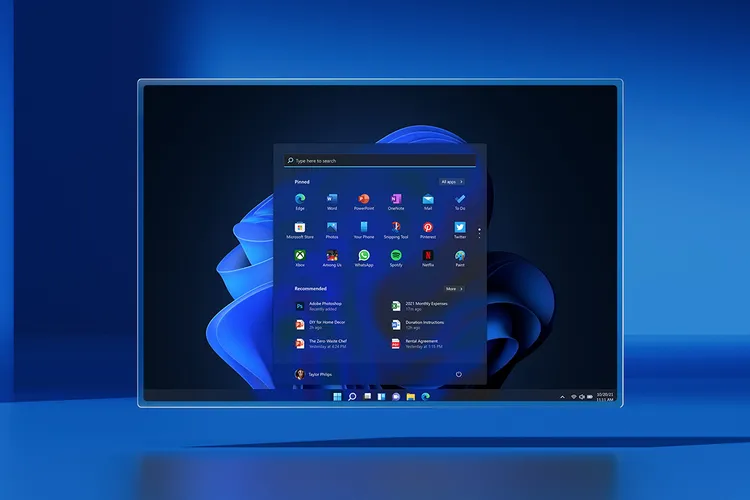
Windows Server 2025 introduces a more modern UI influenced by Windows 11 design language, including updated Task Manager and system tools, Bluetooth device support, and Wi‑Fi configured by default — reflecting a more modern administration experience. It also includes newer system utilities like WinGet and DTrace, simplifying package management and diagnostics.
User Experience:
Server 2025 feels more contemporary and easier for administrators who prefer a graphical and interactive approach, whereas Server 2022 keeps a more traditional server‑centric interface.
5. Deprecated Features and Compatibility
Any new server release sometimes removes legacy components. Windows Server 2025 discontinues some older features (for example, classic SMBv1 and obsolete services), pushing administrators toward modern equivalents and improved security standards. Server 2022, being older, still supports some of these older components (though some are disabled by default) and will remain supported through its lifecycle.
Compatibility Note:
Because Server 2025 has newer foundation technologies, compatibility testing is crucial before upgrading from Server 2022 for any legacy applications.
6. Lifecycle and Support
According to Microsoft’s release schedule:
-
Windows Server 2022 mainstream support extends into the late 2020s.
-
Windows Server 2025 is the latest LTSC release and will receive longer support and updates aligned with newer technologies like Azure hybrid offerings and AI enhancements.
Conclusion: Which One Should You Choose?
Windows Server 2022
✔️ Excellent choice for stable, secure environments with traditional workloads
✔️ Proven hybrid cloud support and hardened security
✔️ Strong foundation for virtualization and network services
FAQs About Windows Server 2025 vs 2022
Q1. Can I upgrade from Windows Server 2022 to 2025 directly?
-
Yes, in most cases, you can upgrade in-place, but you should test applications and compatibility first. Some legacy features in Difference Between Windows Server 2022 are removed in 2025.
Q2. Which is better for cloud-based workloads?
-
Difference Between Windows Server 2025 has enhanced Azure integration, SDN support, and cloud-native features, making it superior for hybrid and cloud-first environments.
Q3. Are both versions supported for virtualization?
-
Yes, but Difference Between Windows Server 2025 supports significantly larger virtual machines, more memory, and more virtual processors per VM than Server 2022.
Q4. How long will Microsoft support Server 2025?
-
As an LTSC release, Difference Between Windows Server 2025 will receive mainstream support and security updates for around 10 years, extending further than Server 2022.
Q5. Is Windows Server 2025 more expensive than 2022?
-
Pricing may vary depending on licensing options, but enterprises often justify Difference Between Windows Server 2025’s higher cost with better performance, scalability, AI features, and hybrid cloud readiness.
Q6. Can small businesses use Windows Server 2025 effectively?
-
Yes, but small businesses with simpler workloads may find Difference Between Windows Server 2022 sufficient and more cost-effective unless they plan for AI workloads, high scalability, or extensive cloud integration.
![[11.11 Offer]Buy Windows 11 key & Office 2021 key](https://affordablekey.com/wp-content/uploads/2023/11/Affordablekey-91.jpg)