















In today’s fast-paced digital world, productivity tools are more important than ever. Whether you are a student managing assignments, a home user handling personal projects, or someone simply looking to organize your work efficiently, having the right software can make a significant difference. Microsoft Office 2016 Home and Student for Windows is designed to meet these needs by providing a reliable, easy-to-use suite of applications that cater to everyday productivity tasks.
Get more offers: click here…
What Is MS Office 2016 Home and Student?
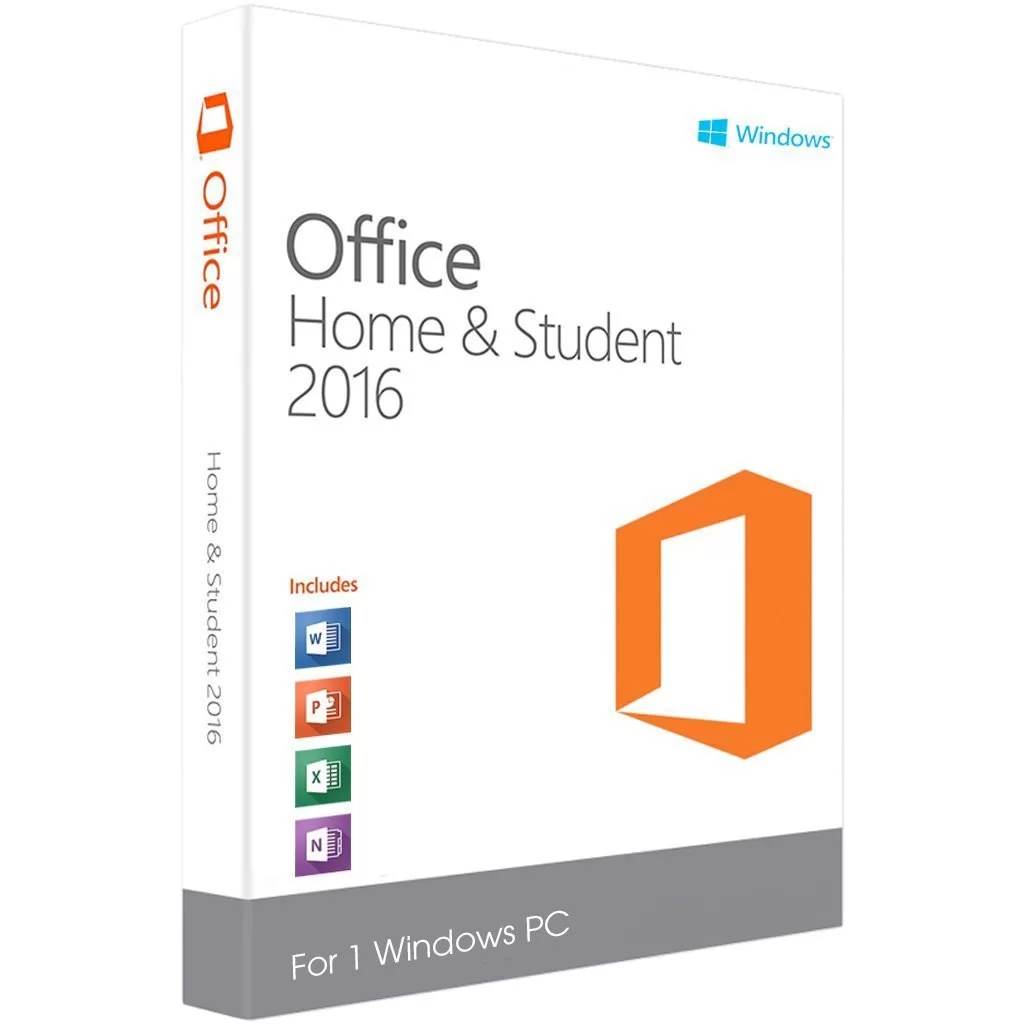
MS Office 2016 Home and Student is a one-time purchase productivity suite for Windows users. Unlike subscription-based versions such as Microsoft 365, this version offers a lifetime license, which means you pay once and can use it indefinitely on your PC. The suite includes three core applications: Microsoft Word, Microsoft Excel, and Microsoft PowerPoint. These tools cover most tasks that students, home users, and casual users require for writing, data analysis, and presentations.
Download free apps: click here…
 Key Features
Microsoft Word : Microsoft Word 2016 allows users to create professional documents with ease. The software comes with a wide range of templates for essays, reports, and resumes, making it ideal for students and home users. Word 2016 also offers enhanced editing and formatting tools, smart lookup features, and improved collaboration options. With its intuitive interface, creating, editing, and formatting documents becomes a seamless experience.
Microsoft Excel: Excel 2016 is a robust spreadsheet application that helps users organize, analyze, and visualize data efficiently. With its updated charts, graphs, and pivot table options, even complex data management tasks become manageable. Students can use it for budget tracking or project data analysis, while home users can easily manage household expenses and personal finances. Excel 2016 also includes powerful formulas and functions to simplify calculations and enhance productivity.
Microsoft PowerPoint: PowerPoint 2016 allows users to create visually appealing and engaging presentations. It offers a variety of templates, slide designs, and multimedia support to enhance content delivery. The software also comes with new transitions and animation features, making it easier to create professional slides for school projects, work presentations, or family events. Users can also collaborate in real time and share presentations across devices.
User-Friendly Interface: One of the standout features of MS Office 2016 Home and Student is its clean and user-friendly interface. All applications are designed to be intuitive, which means beginners can quickly learn to use them without prior training. The familiar Ribbon interface, introduced in earlier versions, has been refined for better navigation and efficiency, making everyday tasks faster and smoother.
One-Time Purchase Advantage: Unlike Microsoft 365, which requires a subscription, MS Office 2016 Home and Student comes with a one-time purchase license. This makes it cost-effective for students and home users who want essential productivity tools without recurring costs. Once installed, it can be used for years without worrying about subscription renewals, ensuring long-term value.
Why MS Office 2016 Home and Student Is Ideal for Students and Home Users
MS Office 2016 Home and Student is perfectly tailored for students and home users due to its simplicity, affordability, and essential functionality. Students benefit from its ability to create assignments, manage data, and prepare presentations efficiently. Home users can organize personal finances, write letters, and create multimedia presentations for family events. With all the essential tools in one package, it eliminates the need to purchase multiple software applications.
System Requirements
To run MS Office 2016 Home and Student smoothly, users should have a Windows PC with the following minimum specifications:
- Operating System: Windows 7 or later
- Processor: 1 GHz or faster x86/x64-bit processor with SSE2
- RAM: 2 GB (32-bit) or 4 GB (64-bit)
- Hard Disk: 3 GB of available space
- Display: 1280 x 800 resolution or higher
Conclusion
MS Office 2016 Home and Student for Windows remains a reliable and essential productivity suite for anyone who needs to handle documents, spreadsheets, and presentations efficiently. Its lifetime license, user-friendly interface, and powerful tools make it an ideal choice for students, home users, and casual professionals. If you want a cost-effective solution to meet your everyday productivity needs, MS Office 2016 Home and Student is a smart investment.
FAQs
Q1: Can I install MS Office 2016 Home and Student on multiple devices?
A: No, the one-time purchase license allows installation on a single PC only. For multiple devices, Microsoft 365 or volume licenses are recommended.
Q2: Does it include Outlook or Access?
A: No, this edition only includes Word, Excel, and PowerPoint. Other applications like Outlook, Access, or Publisher are part of different editions such as Office Home and Business or Professional.
Q3: Is it compatible with Windows 10 and 11?
A: Yes, MS Office 2016 Home and Student works on Windows 7, 8, 10, and 11.
Q4: Can I upgrade from Office 2016 Home and Student to Microsoft 365?
A: Yes, you can upgrade to Microsoft 365 at any time to access cloud features, additional apps, and regular updates.
Q5: Does it support cloud storage?
A: While it does not include cloud services like OneDrive by default, you can use free OneDrive or other cloud services to store and share your files.




